E8466 - Weather Station Emos - Free user manual and instructions
Find the device manual for free E8466 Emos in PDF.


Pick your language and provide your email: we'll send you a specifically translated version.
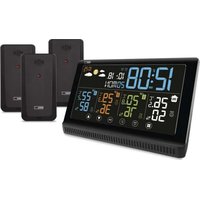
| Product Type | Digital Weather Station with wireless outdoor sensor |
| Display | Large LCD screen showing time, date, temperature and humidity |
| Indoor Temperature Range | 0°C to +50°C |
| Outdoor Temperature Range | -20°C to +60°C |
| Indoor Humidity Range | 20% to 95% RH |
| Outdoor Humidity Range | 20% to 95% RH |
| Wireless Sensor Range | Up to 30 meters in open field |
| Barometric Pressure Range | 700 to 1100 hPa |
| Weather Forecast | 12-24 hour forecast with sunny, partly cloudy, cloudy, rain, snow icons |
| Pressure Trend Indicator | Arrows showing rising, steady or falling pressure |
| Comfort Indicator | Shows comfortable, dry or humid condition |
| Min/Max Memory | Records today's min and max values for temperature and humidity |
| Additional Measurements | Dew point and heat index calculation |
| Wireless Technology | 433 MHz RF transmission |
| Supported Sensors | Up to 3 outdoor sensors (extra sensors optional) |
| Power Supply - Main Unit | 2 x AA batteries (not included) |
| Power Supply - Sensor | 2 x AAA batteries (not included) |
| Dimensions Main Unit (W x H x D) | 120 x 110 x 40 mm |
| Dimensions Sensor (W x H x D) | 60 x 20 x 20 mm |
| Weight | 200 g (main unit with batteries) |
| Mounting | Table stand or wall mountable |
| Maintenance and Cleaning | Wipe with a soft dry cloth; do not use solvents |
| Safety Warnings | Keep away from direct sunlight and rain; install batteries correctly |
| Spare Parts and Repairability | Outdoor sensor can be replaced if damaged; no internal spare parts available |
Frequently Asked Questions - E8466 Emos
How do I set up the E8466 weather station for the first time?
Insert 2 x AA batteries into the main unit and 2 x AAA batteries into the outdoor sensor. The units will automatically sync within 3 minutes. If not, press and hold CHANNEL to force pairing.
What is the recommended placement for the outdoor sensor?
Mount the sensor in a shaded, rain-protected area. Ensure a distance of 30 meters from the main unit and avoid metal obstacles for stable signal.
Can I connect more than one outdoor sensor?
Yes, the station supports up to 3 sensors. Use the CHANNEL button to switch between sensors and assign each one to a different channel.
Why does the outdoor temperature show dashes?
This indicates a lost signal. Check batteries, distance, and press CHANNEL for 3 seconds to resync.
How accurate are the temperature and humidity readings?
The temperature accuracy is ±1°C and humidity accuracy is ±5%, within the specified measuring range.
What do the weather forecast icons mean?
The station predicts conditions for the next 12 to 24 hours based on barometric pressure trends. Icons include sunny, partly cloudy, cloudy, rain, and snow.
How to change the batteries without losing data?
Replace batteries one at a time. For the sensor, remove it from the mounting, replace batteries, and re-sync with the main unit.
Can I mount the device on a wall?
Yes, the main unit has a wall mount hole and a table stand. Use the screws provided for wall mounting.
How to clean the weather station properly?
Use a soft dry cloth to wipe the housing and display. Never use water or cleaning agents, which can damage the electronics.
What should I do if the main unit stops responding?
Perform a hard reset: remove all batteries from both units, wait 30 seconds, then reinsert them. If the issue persists, replace all batteries.
User questions about E8466 Emos
0 question about this device. Answer the ones you know or ask your own.
Ask a new question about this device
No questions yet. Be the first to ask one.
Download the instructions for your Weather Station in PDF format for free! Find your manual E8466 - Emos and take your electronic device back in hand. On this page are published all the documents necessary for the use of your device. E8466 by Emos.
USER MANUAL E8466 Emos

Manual assistant
Powered by Anthropic
Waiting for your message
Product information
Brand : Emos
Model : E8466
Category : Weather Station