
DIS-F200G-6PS-E - Uncategorized D-LINK - Free user manual and instructions
Find the device manual for free DIS-F200G-6PS-E D-LINK in PDF.
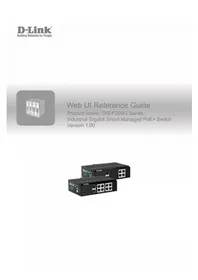


Pick your language and provide your email: we'll send you a specifically translated version.
| Brand | D-Link |
| Model | DIS-F200G-6PS-E |
| Product Type | Industrial Managed Gigabit PoE+ Switch |
| Ports | 6 x 10/100/1000 Mbps PoE+ ports |
| PoE Standard | IEEE 802.3af/at |
| PoE Power Budget | 120 W |
| Power Input | 12-48 V DC dual redundant inputs |
| Mounting | DIN-rail mountable |
| Operating Temperature | -40 °C to 75 °C |
| Housing Material | Metal, IP30 protection |
| Cooling | Fanless |
| Dimensions | 55 x 105 x 120 mm |
| Weight | 0.6 kg |
| Management Features | Web, CLI, SNMP, Telnet |
| VLAN Support | Up to 4094 VLANs |
| QoS Support | Yes, port-based and 802.1p |
| Redundant Power Support | Yes |
| Surge/ESD Protection | 6 kV surge, 15 kV ESD |
| LED Indicators | Power, PoE, link/activity |
| Certifications | CE, FCC, UL61010 |
| Safety | Disconnect power before cleaning or servicing |
| Cleaning | Wipe with dry cloth only, avoid solvents |
| Repairability | No user-serviceable parts; contact D-Link technical support |
| Warranty | 5-year limited warranty |
Frequently Asked Questions - DIS-F200G-6PS-E D-LINK
What is the D-Link DIS-F200G-6PS-E?
It is an industrial managed Gigabit PoE+ switch designed for harsh environments, offering 6 PoE+ ports and advanced networking features like VLAN, QoS, and SNMP.
How do I access the web management interface?
Connect your computer to one of the switch's ports, set your IP address to the same subnet as the default IP, open a web browser, and enter the default IP (e.g., 192.168.0.1). Use the default login credentials.
What is the default IP address and login?
The default IP address is typically 192.168.0.1 with username admin and password admin. You should change these after the first login for security reasons.
Does the switch support PoE and what is the power budget?
Yes, the switch supports IEEE 802.3af/at with a total PoE budget of 120 W, providing up to 30 W per port for connected devices like IP cameras or wireless access points.
Can the switch be mounted on a DIN rail?
Yes, the DIS-F200G-6PS-E includes a DIN-rail bracket for easy and secure installation in industrial cabinets or control panels.
What are the operating temperature limits?
The switch is rated for industrial temperatures from -40 °C to 75 °C, making it suitable for extreme environments such as factories or outdoor enclosures.
How do I update the firmware?
Download the latest firmware from D-Link's support website, log into the switch's web interface, go to System > Firmware Update, and upload the file. The switch will reboot automatically after the update.
Does the switch support VLAN?
Yes, it supports IEEE 802.1Q VLAN tagging with up to 4094 VLAN groups, enabling efficient network segmentation and traffic isolation.
What kind of power supply should I use?
Use a DC power supply rated between 12 and 48 V DC that meets the switch's power consumption. A certified industrial power supply is recommended for reliable operation.
Is the switch fanless?
Yes, the switch is passively cooled (fanless), ensuring silent operation, reduced power consumption, and lower maintenance requirements in dusty or industrial settings.
User questions about DIS-F200G-6PS-E D-LINK
0 question about this device. Answer the ones you know or ask your own.
Ask a new question about this device
No questions yet. Be the first to ask one.
Download the instructions for your Uncategorized in PDF format for free! Find your manual DIS-F200G-6PS-E - D-LINK and take your electronic device back in hand. On this page are published all the documents necessary for the use of your device. DIS-F200G-6PS-E by D-LINK.
USER MANUAL DIS-F200G-6PS-E D-LINK
Manual assistant
Powered by Anthropic
Waiting for your message
Product information
Brand : D-LINK
Model : DIS-F200G-6PS-E
Category : Uncategorized