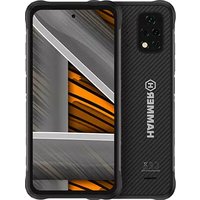
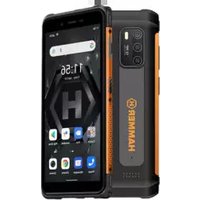
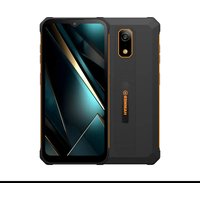
Energy X2 - Smartphone Hammer - Free user manual and instructions
Find the device manual for free Energy X2 Hammer in PDF.


Pick your language and provide your email: we'll send you a specifically translated version.
| Brand | Hammer |
| Model | Energy X2 |
| Product Type | Smartphone |
| Dimensions | 155 x 75 x 12 mm |
| Weight | 200 g |
| Display Size | 5.5 inches |
| Display Resolution | 1280 x 720 pixels |
| Operating System | Android |
| Processor | Quad-core |
| RAM | 2 GB |
| Internal Storage | 16 GB |
| Expandable Storage | MicroSD up to 64 GB |
| Rear Camera | 13 MP |
| Front Camera | 5 MP |
| Battery Capacity | 4000 mAh |
| Power Supply | Rechargeable lithium-ion battery |
| Connectivity | 4G LTE, Wi-Fi, Bluetooth |
| SIM Support | Dual SIM |
| Ruggedness | IP68 water and dust resistant |
| Main Functions | Calling, texting, internet, camera, GPS, multimedia |
| Maintenance and Cleaning | Wipe with a dry cloth; avoid extreme temperatures |
| Safety | Use only certified chargers; avoid drops |
| Spare Parts and Repairability | Available via authorized service center |
| General Information | User manual in English and Polish |
Frequently Asked Questions - Energy X2 Hammer
How do I insert a SIM card?
To insert a SIM card, power off the phone, locate the SIM tray on the side, use the ejector tool to open it, place the SIM card correctly, and insert the tray back. For dual SIM, use both slots with compatible cards.
Is the Hammer Energy X2 waterproof?
Yes, the phone is rated IP68, meaning it is protected against dust and can be submerged in water up to 1.5 meters for 30 minutes. However, avoid using the touchscreen underwater.
How can I extend battery life?
To extend battery life, enable power saving mode, lower screen brightness, close background apps, disable unnecessary connectivity (WiFi, Bluetooth, GPS) when not in use, and use the proprietary charger for efficient charging.
Does the device support storage expansion?
Yes, the Hammer Energy X2 features a microSD card slot that supports cards up to 64 GB. You can insert the card in the shared SIM/microSD tray.
How do I perform a factory reset?
To reset the phone to factory settings, go to Settings > System > Reset > Factory data reset. Make a backup first, as all data will be erased.
How do I take a screenshot?
Press and hold the Power Button and Volume Down simultaneously for about 2 seconds. The screenshot will be saved in the Gallery.
Why is my phone running slowly?
If the phone is slow, try closing background apps, clearing the cache, restarting the device, or freeing up storage space. Uninstall unused apps and consider using a lighter launcher.
Can I use the phone while charging?
Yes, you can use it, but it may slow down charging and increase the temperature. For optimal battery health, avoid intensive tasks while charging.
How do I update the software?
Go to Settings > About phone > System updates to check for available updates. Ensure you have a stable Wi-Fi connection and at least 50% battery before starting.
How should I clean and maintain the phone?
Clean the phone with a soft, dry cloth. Do not use harsh chemicals, and avoid exposing it to extreme temperatures. To maintain waterproofing, ensure all ports and covers are sealed properly.
User questions about Energy X2 Hammer
0 question about this device. Answer the ones you know or ask your own.
Ask a new question about this device
No questions yet. Be the first to ask one.
Download the instructions for your Smartphone in PDF format for free! Find your manual Energy X2 - Hammer and take your electronic device back in hand. On this page are published all the documents necessary for the use of your device. Energy X2 by Hammer.
USER MANUAL Energy X2 Hammer


Manual assistant
Powered by Anthropic
Waiting for your message
Product information
Brand : Hammer
Model : Energy X2
Category : Smartphone