ATV75UHDW-0925 - Television Bauhn - Free user manual and instructions
Find the device manual for free ATV75UHDW-0925 Bauhn in PDF.


Pick your language and provide your email: we'll send you a specifically translated version.
| Brand | Bauhn |
| Model | ATV75UHDW-0925 |
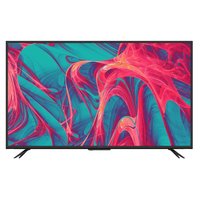
| Product Type | 75-inch 4K UHD LED Smart TV |
| Screen Size | 75 inches (189 cm) diagonal |
| Display Resolution | 3840 x 2160 (4K UHD) |
| Display Technology | LED (Direct lit) |
| Picture Processing | 4K Upscaling, HDR10, HLG |
| Refresh Rate | 60 Hz |
| Smart TV OS | Android TV 11 |
| Voice Assistant | Google Assistant compatible (optional remote) |
| Connectivity | 3x HDMI 2.0, 2x USB 2.0, Ethernet, Optical out, Antenna |
| Wireless | Dual-band Wi-Fi, Bluetooth 4.2 |
| Audio | 2 x 12W RMS, Dolby Audio and DTS-HD |
| Power Consumption | 150W (typ.), <0.5W standby |
| Power Supply | 220-240V ~ 50/60Hz |
| Dimensions (without stand) | 1675 x 962 x 82 mm (W x H x D) |
| Dimensions (with stand) | 1675 x 1025 x 300 mm (W x H x D) |
| Weight (without stand) | 28.7 kg |
| Weight (with stand) | 29.2 kg |
| VESA Wall Mount Pattern | 400 x 400 mm |
| Tuner | DVB-T2 (terrestrial), DVB-S2 (satellite) |
| Energy Rating | A+ (approximate) |
| Maintenance and Cleaning | Only a soft dry cloth; avoid liquids and solvents |
| Safety | Stand securely; keep ventilation; avoid direct heat |
| Repairability | Spare parts available; contact Bauhn Support for service |
Frequently Asked Questions - ATV75UHDW-0925 Bauhn
How do I connect the TV to Wi-Fi?
Press the Menu button on the remote, go to Network and select Wi-Fi. Choose your network, enter the password, and connect. Your TV will remember the network for future use.
Can I mount the TV on the wall?
Yes, the TV supports a VESA 400 x 400 mm wall mount. Use M8 bolts of appropriate length and a certified bracket capable of supporting at least 30 kg.
Why is the remote not responding?
Check if the batteries are inserted correctly and have charge. If the remote uses Bluetooth, pair it again by pressing Home and OK simultaneously. Ensure no obstacle is blocking the IR sensor.
How do I perform a factory reset?
Go to Settings > Device Preferences > Reset and choose Factory data reset. This will erase all personal settings and restore the TV to default.
Does this TV support Bluetooth headphones?
Yes, the TV has Bluetooth 4.2. Go to Settings > Remote & Accessories and pair your Bluetooth headphones. You can then switch audio output to them.
How can I update the firmware?
The TV automatically checks for updates. You can also manually update by going to Settings > Device Preferences > About > System update. Ensure the TV is connected to the internet.
What is the optimal picture setting for gaming?
Enable Game Mode in picture settings to reduce input lag. Use an HDMI 2.0 cable and set your console to 4K at 60Hz. Disable extra processing features like Motion Smoothing for best response.
Is a set-top box needed to watch free-to-air TV?
No, the TV has a built-in DVB-T2 tuner. Connect an antenna to the ANT input and scan for channels via Settings > Channel Setup > Auto Scan.
How to cast from a phone?
The TV supports Chromecast built-in. Ensure both devices are on the same Wi-Fi network, then tap the Cast icon from compatible apps on your phone and select the TV.
What is the warranty period?
Bauhn products sold through ALDI typically come with a 3-year warranty. Check your receipt or contact ALDI customer service for specific terms and coverage details.
User questions about ATV75UHDW-0925 Bauhn
0 question about this device. Answer the ones you know or ask your own.
Ask a new question about this device
No questions yet. Be the first to ask one.
Download the instructions for your Television in PDF format for free! Find your manual ATV75UHDW-0925 - Bauhn and take your electronic device back in hand. On this page are published all the documents necessary for the use of your device. ATV75UHDW-0925 by Bauhn.
USER MANUAL ATV75UHDW-0925 Bauhn


Manual assistant
Powered by Anthropic
Waiting for your message
Product information
Brand : Bauhn
Model : ATV75UHDW-0925
Category : Television