ATV75UHDT-0725 - Television Bauhn - Free user manual and instructions
Find the device manual for free ATV75UHDT-0725 Bauhn in PDF.


Pick your language and provide your email: we'll send you a specifically translated version.
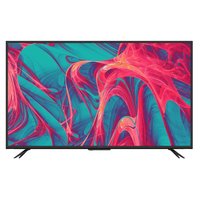
| Product type | Television |
| Brand | Bauhn |
| Model | ATV75UHDT-0725 |
| Screen size | 75 inches (diagonal) |
| Resolution | 3840 x 2160 (4K UHD) |
| Display technology | LED |
| Refresh rate | 60 Hz |
| HDR support | Yes (HDR10, HLG) |
| Smart TV | Yes |
| Operating system | Android TV |
| Audio output | 2 x 10W speakers |
| Connectivity | 3 HDMI, 2 USB, 1 Ethernet, Wi-Fi, Bluetooth |
| Power consumption (typical) | 200W |
| Standby power | <0.5W |
| Dimensions (with stand) | 1680 x 960 x 300 mm |
| Dimensions (without stand) | 1680 x 960 x 70 mm |
| Weight (with stand) | 30 kg |
| Weight (without stand) | 28 kg |
| VESA mount | 400 x 400 mm |
| Remote control | Included |
| Warranty | 2 years |
| Cleaning instructions | Use a soft, dry cloth. Do not use chemicals. |
| Safety | Do not expose to moisture. Keep ventilation slots clear. Do not open. |
| Spare parts and reparability | Contact Bauhn customer support or authorized service centers. |
Frequently Asked Questions - ATV75UHDT-0725 Bauhn
How do I set up my Bauhn ATV75UHDT-0725 TV?
Unpack the TV, attach the stand, connect the power cord and any devices (e.g., cable box). Turn on the TV and follow the on-screen setup wizard to select language, connect to Wi-Fi, and scan for channels.
Can I connect external devices like a soundbar?
Yes, use the HDMI ARC port (usually HDMI 1) to connect a soundbar or AV receiver. Alternatively, use the optical audio output or Bluetooth.
How do I access streaming apps?
Press the Home button on the remote to open the smart TV interface. Scroll to the app store (e.g., Google Play) and download apps like Netflix, YouTube, etc. Pre-installed apps may be available.
Why is the TV not turning on?
Ensure the power cord is securely connected and the outlet is working. Try pressing the Power button on the TV itself (not just remote). If still off, unplug for 1 minute and retry. If problem persists, contact support.
How do I clean the screen?
Turn off and unplug the TV. Use a soft, dry microfiber cloth to gently wipe the screen in circular motions. Do not use water, alcohol, or paper towels as they may damage the coating.
What is the VESA mount size?
The VESA mount pattern is 400 x 400 mm. Use compatible screws (usually M8, length depends on TV thickness). Always mount on a solid wall and follow the mount instructions.
How can I update the firmware?
Go to Settings > Device Preferences > About > System Update and check for updates. Ensure the TV is connected to the internet. Install any available updates to improve performance and fix bugs.
Can I use voice control?
If your model includes a remote with a microphone, press the voice button and speak commands (e.g., 'Open Netflix'). The TV uses Google Assistant for voice control.
How do I reset to factory settings?
Go to Settings > Device Preferences > Reset. Choose 'Factory reset' and confirm. This will erase all personal data and restore original settings. You will need to set up the TV again.
Where can I find the user manual?
The manual can be downloaded from the Bauhn support website or scanned from the QR code on the box. It is also available in the TV's settings menu under 'Help'.
User questions about ATV75UHDT-0725 Bauhn
0 question about this device. Answer the ones you know or ask your own.
Ask a new question about this device
No questions yet. Be the first to ask one.
Download the instructions for your Television in PDF format for free! Find your manual ATV75UHDT-0725 - Bauhn and take your electronic device back in hand. On this page are published all the documents necessary for the use of your device. ATV75UHDT-0725 by Bauhn.
USER MANUAL ATV75UHDT-0725 Bauhn


Manual assistant
Powered by Anthropic
Waiting for your message
Product information
Brand : Bauhn
Model : ATV75UHDT-0725
Category : Television