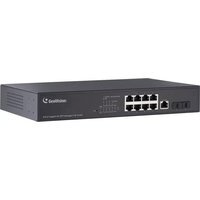
GV-APOE241C - Network card Geovision - Free user manual and instructions
Find the device manual for free GV-APOE241C Geovision in PDF.


Pick your language and provide your email: we'll send you a specifically translated version.
| Product Type | Active Power over Ethernet (PoE) injector |
| Brand | Geovision |
| Model | GV-APOE241C |
| Ethernet Standard | IEEE 802.3 10Base-T, 802.3u 100Base-TX |
| Data Transfer Rate | 10/100 Mbps |
| Number of Ports | 2 x RJ45 (1 input, 1 output) |
| PoE Output | 24V DC passive PoE on pins 4/5 and 7/8 |
| Maximum Output Power | 15W per port |
| Input Power | AC 100-240V, 50/60 Hz |
| Transmission Distance | Up to 100 m (328 ft) |
| Surge Protection | Built-in 6 kV surge protection |
| LED Indicators | Power, Link/Act |
| Operating Temperature | -10°C to 50°C |
| Housing | Metal case |
| Dimensions (W x H x D) | 110 x 26 x 40 mm |
| Weight | 150 g |
| Mounting | Desktop or wall-mount kit included |
| Maintenance | Wipe with a dry, soft cloth; avoid solvents |
| Safety Features | Short-circuit and overcurrent protection |
| Spare Parts | Replacement power adapter and RJ45 cables available |
| Certifications | CE, FCC, RoHS |
| Warranty | 2 years |
Frequently Asked Questions - GV-APOE241C Geovision
What is the GV-APOE241C used for?
The Geovision GV-APOE241C is an Active PoE injector that combines data and power over a single Ethernet cable, designed for IP cameras and other network devices in surveillance systems.
Does it support standard PoE (802.3af)?
No, it uses passive PoE with 24V DC output, not the standard 802.3af. It is compatible with devices that accept 24V passive PoE.
What are the power requirements?
The injector accepts AC 100-240V, 50/60Hz and provides 24V DC power to the connected device, with a maximum output of 15W per port.
How far can I run the Ethernet cable?
You can extend data and power up to 100 meters (328 feet) using standard Cat5e or better cable, which is the typical limit for Ethernet.
How do I install the GV-APOE241C?
Connect your network switch to the input RJ45 port, then connect your camera or device to the output port. Plug in the power adapter and verify the LEDs light up. No software configuration is required.
What do the LED indicators mean?
The Power LED shows the unit is energized, while the Link/Act LED indicates an active Ethernet link and data transmission.
Is the device weatherproof?
The GV-APOE241C is designed for indoor use only. For outdoor installations, place it in a weatherproof enclosure.
What should I do if my camera doesn't receive power?
Check that the power adapter is plugged in and the Power LED is on. Verify the total power draw does not exceed 15W, and ensure the camera supports 24V passive PoE.
Can I use it with any IP camera?
You can use it with any camera that supports 24V DC passive PoE or has a 24V power input over Ethernet. It is not compatible with 48V IEEE standard PoE cameras unless they accept 24V.
Is there a warranty and where can I find spare parts?
The device comes with a 2-year warranty. Spare parts such as the power adapter and RJ45 cables can be ordered from Geovision authorized dealers.
User questions about GV-APOE241C Geovision
0 question about this device. Answer the ones you know or ask your own.
Ask a new question about this device
No questions yet. Be the first to ask one.
Download the instructions for your Network card in PDF format for free! Find your manual GV-APOE241C - Geovision and take your electronic device back in hand. On this page are published all the documents necessary for the use of your device. GV-APOE241C by Geovision.
USER MANUAL GV-APOE241C Geovision

Manual assistant
Powered by Anthropic
Waiting for your message
Product information
Brand : Geovision
Model : GV-APOE241C
Category : Network card