
GV-PA482 - Network card Geovision - Free user manual and instructions
Find the device manual for free GV-PA482 Geovision in PDF.


| Product Type | PoE (Power over Ethernet) Adapter |
| Brand | Geovision |
| Model | GV-PA482 |
| PoE Standard | High Power Over Ethernet (Max. 120 W) |
| PoE Output | DC 48V, 2.5A (Max. 120 W) |
| Ethernet Ports | 2 x 10/100 Mbps (PoE and LAN) |
| Ethernet Cable Length | Max 100 m (328 ft) from adapter to IP device, CAT5e |
| Power Input | AC 100V ~ 240V, 2.5A |
| Power Adapter (Included) | DC 48V, 2.5A, 120 W |
| Operating Temperature | -10°C ~ 50°C (14°F ~ 122°F) |
| Dimensions (L x W x H) | 43 x 69 x 40 mm (1.69 x 2.72 x 1.57 in) |
| Weight | 130 g (0.29 lb) |
| Packing List | GV-PA482 PoE Adapter, Power Adapter (DC 48V, 2.5A, 120W) |
| Connection Requirements | Two Ethernet cables (not included) and a power outlet |
| LED Indicator | Power LED (green when powered) |
| Compatible Devices | GV-IP Cameras and other PoE devices up to 120 W |
| Installation | Connect Ethernet cables to PoE port (camera) and LAN port (hub/router), then connect power adapter |
| Maintenance | Keep in dry environment; avoid dust and moisture. Check cables periodically. |
| Safety Precautions | Use only with supplied power adapter; do not expose to water; ensure proper ventilation. |
| Special Features | Supports high power PoE up to 120 W for demanding IP cameras |
Frequently Asked Questions - GV-PA482 Geovision
User questions about GV-PA482 Geovision
0 question about this device. Answer the ones you know or ask your own.
Ask a new question about this device
Download the instructions for your Network card in PDF format for free! Find your manual GV-PA482 - Geovision and take your electronic device back in hand. On this page are published all the documents necessary for the use of your device. GV-PA482 by Geovision.
USER MANUAL GV-PA482 Geovision
GV-PA482 PoE Adapter
The GV-PA482 is a Power over Ethernet (PoE) adapter designed to provide power to the IP camera through a single Ethernet cable. Adopting the PoE adapter enables you to mount an IP camera anywhere in a building where power outlets are not available.
Packing List
- GV-PA482 PoE Adapter x 1
- Power Adapter (DC 48V, 2.5A, 120 W)
Connections
Two Ethernet cables are required for the connection.
- Connect one end of the first Ethernet cable into the PoE 10/100 port on the GV-PA482, and the other end to your camera.
- Connect one end of the second Ethernet cable into the LAN 10/100 port on the GV-PA482, and the other end to the hub or router connecting to your computer.
- Insert the white wire of the supplied DC power adapter left-side pin of the terminal block on the GV-PA482, and the black wire to the right-side pin.
![graph TD A["Rear Panel"] -->|LAN 10/100 Power IN| B["Power"] B --> C["HV-PA482 PoE Adapter"] C --> D["GV-IP Camera"] B --> E["Hub/Router"] B --> F["Ethernet Cable"]](/content/2026/05/1074911/images/59370c9b687e84b653f48846b5bc1e936b1c1fd8aebc7c29dca8dfb757faae92.jpg)
- Attach the AC power cord to the DC power adaptor.
- Connect the AC power cord to the power outlet. The Power LED on the front panel of the GV-PA482 turns green now.
Specifications
| PoE Standard | High Power Over Ethernet (Max. 120 W) |
| PoE Output (10 / 100 Out) | DC 48V, 2.5A (Max. 120 W) |
| Ethernet Cable Length | Max 100 m (328 ft) from GV-PA482 to IP device, CAT5e |
| Power Input | AC 100V ~ 240V, 2.5A |
| Operating Temperature | -10°C ~ 50°C (14°F ~ 122°F) |
| Dimensions (L x W x H) | 43 x 69 x 40 mm (1.69 x 2.72 x 1.57") |
| Weight | 130 g (0.29 lb) |
All specifications are subject to change without notice.
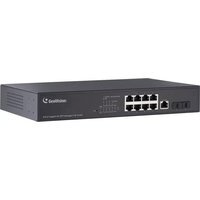
Brand : Geovision
Model : GV-PA482
Category : Network card