
PARTY STORM 1 - Speakers HISENSE - Free user manual and instructions
Find the device manual for free PARTY STORM 1 HISENSE in PDF.
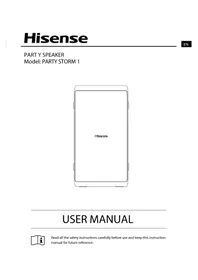


Pick your language and provide your email: we'll send you a specifically translated version.
| Product Type | Party Speaker |
| Brand | Hisense |
| Model | Party Storm 1 |
| Dimensions (W x H x D) | 300 x 500 x 300 mm |
| Weight | 4.2 kg |
| Power Output | 80 W RMS |
| Frequency Response | 50 Hz – 20 kHz |
| Battery Type | Rechargeable lithium-ion |
| Battery Life | Up to 12 hours |
| Charging Time | 3 hours |
| Power Supply | 100-240V AC |
| Bluetooth Version | 5.0 |
| Wireless Range | 10 meters |
| Additional Inputs | USB, AUX 3.5mm, microphone input |
| Water Resistance | IPX4 |
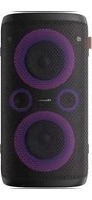
| LED Lighting | Yes, multi-color patterns |
| Controls | On-device buttons and remote control |
| Karaoke Function | Yes |
| TWS Pairing | Yes, for stereo pairing |
Frequently Asked Questions - PARTY STORM 1 HISENSE
How do I pair the Party Storm 1 with my smartphone?
Turn on the speaker and enable Bluetooth on your phone. Search for "Hisense Party Storm 1" and select it. If a PIN is required, enter 0000. The speaker will confirm the connection with a sound and the LED indicator will turn solid blue.
Can I use the speaker while it is charging?
Yes, the Hisense Party Storm 1 supports pass-through operation. You can continue playing music while the battery is charging. However, charging time may be extended when the speaker is in use.
How long does the battery last on a full charge?
The built-in lithium-ion battery provides up to 12 hours of playback time at moderate volume with the LED lighting on. High volume and extra bass effects may reduce battery life to around 6-8 hours.
Is the Party Storm 1 water-resistant?
The speaker has an IPX4 splashproof rating, meaning it is protected against water splashes from any direction. It is not suitable for immersion or heavy rain, so avoid placing it in standing water.
How do I clean and maintain the speaker?
Use a soft, dry cloth to wipe the exterior and speaker grille. Avoid using harsh chemicals, abrasive cleaners, or excessive moisture. Ensure the ports and covers are sealed when cleaning to prevent water damage. For dust inside the grille, use a soft-bristled brush or compressed air.
Can I connect two Party Storm 1 speakers together?
Yes, the speaker supports TWS (True Wireless Stereo) pairing. Press the TWS button on both speakers, then pair your phone to one speaker. The two speakers will connect wirelessly and act as left and right channels for a wider stereo sound.
What microphone inputs are available for karaoke?
The Party Storm 1 has a dedicated 6.35mm microphone input on the control panel. You can connect a wired microphone (not included) to sing along. The speaker also features a built-in echo control and adjustable microphone volume for an enhanced karaoke experience.
How do I reset the speaker to factory settings if needed?
If the speaker behaves unexpectedly, you can reset it by turning it off and pressing and holding the "Bluetooth" and "Volume +" buttons simultaneously for about 3 seconds until the LED flashes. Release the buttons, and the speaker will restart with the default settings.
What safety precautions should I take when using the speaker?
Do not expose the speaker to extreme temperatures, direct sunlight, or open flames. Keep it away from liquids and install it on a stable surface. Unplug the power adapter during lightning storms or when not in use for long periods. Do not attempt to open the housing, as this may void the warranty and damage internal components.
Are replacement parts available for this Hisense speaker?
Replacement parts such as the rechargeable battery, AC adapter, and remote control can be sourced from authorized Hisense service centers or spare parts suppliers. For warranty repairs, contact Hisense customer support. Always use genuine parts to ensure compatibility and safety.
User questions about PARTY STORM 1 HISENSE
0 question about this device. Answer the ones you know or ask your own.
Ask a new question about this device
No questions yet. Be the first to ask one.
Download the instructions for your Speakers in PDF format for free! Find your manual PARTY STORM 1 - HISENSE and take your electronic device back in hand. On this page are published all the documents necessary for the use of your device. PARTY STORM 1 by HISENSE.
USER MANUAL PARTY STORM 1 HISENSE
Manual assistant
Powered by Anthropic
Waiting for your message
Product information
Brand : HISENSE
Model : PARTY STORM 1
Category : Speakers