O2ID9 - Surveillance Camera Speco Technologies - Free user manual and instructions
Find the device manual for free O2ID9 Speco Technologies in PDF.


Pick your language and provide your email: we'll send you a specifically translated version.
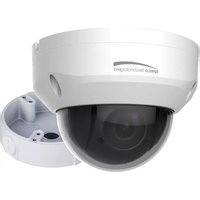
| Type of product | Outdoor IP surveillance camera |
| Brand | Speco Technologies |
| Model | O2ID9 |
| Resolution | 2 Megapixels (1920 x 1080) |
| Lens | 3.6mm fixed lens, F1.6 |
| Night vision | Yes, up to 30m with IR LEDs |
| Housing material | Aluminum die-cast |
| Weatherproof rating | IP66 |
| Power supply | 12V DC / PoE (802.3af) |
| Power consumption | Max 10W |
| Operating temperature | -30°C to 60°C |
| Video compression | H.264 / H.265 |
| Field of view | Approximately 90° diagonal |
| Dimensions | 120 mm x 70 mm x 70 mm |
| Weight | 0.6 kg |
| Mounting | Bracket included for wall/ceiling |
| Memory slot | Up to 128GB microSD card |
| Connectivity | Ethernet RJ45 (10/100 Mbps) |
| Main functions | Motion detection, remote viewing via smartphone app, two-way audio |
| Maintenance and cleaning | Gently clean the lens with a soft, dry cloth |
| Safety | UL listed, surge protection, tamper-proof design |
| Spare parts and repairability | Replacement lens, IR LEDs, cables and mounting kit available |
| General information | Compatible with Speco NVRs and third-party ONVIF systems |
Frequently Asked Questions - O2ID9 Speco Technologies
How do I reset the Speco Technologies O2ID9 camera to factory defaults?
Press and hold the reset button on the camera for about 10 seconds using a paperclip. The camera will reboot and restore default settings. Ensure you reconnect to the default IP address afterwards.
What does the IP66 rating mean for this camera?
IP66 means the housing is fully protected against dust and powerful water jets, making the O2ID9 suitable for outdoor installation in rainy or dusty environments.
Does the O2ID9 support Power over Ethernet (PoE)?
Yes, the camera supports PoE 802.3af, so you can power it through a single Ethernet cable with a PoE switch or injector, simplifying installation.
Can I connect the O2ID9 to Wi-Fi?
No, the O2ID9 is a wired IP camera. It requires an Ethernet cable for both data and power (if using PoE). You can still view it wirelessly by connecting the camera to your router with a cable and accessing it via your Wi-Fi network.
How do I install the camera?
Mount the camera using the included bracket, route the Ethernet cable, and connect to an NVR or PoE switch. Use the mounting template to drill holes, then secure the camera. Adjust the angle for optimal field of view.
How far can the O2ID9 see at night?
The built-in IR LEDs provide black-and-white night vision up to 30 meters (98 feet) in complete darkness, allowing clear monitoring of large outdoor areas.
Can I use the O2ID9 with a third-party NVR?
Yes, the camera is ONVIF compliant, so it works with many third-party NVRs and video management systems. Always verify ONVIF compatibility with your specific NVR model.
What is the field of view of the O2ID9 camera?
The 3.6mm lens provides a diagonal field of view of approximately 90°, making it suitable for monitoring driveways, doorways, and smaller yards.
How do I update the firmware on the O2ID9?
Download the latest firmware from the Speco Technologies website, then log into the camera's web interface, go to System > Maintenance, and upload the firmware file. Ensure the power is stable during the update.
Does the O2ID9 support motion detection and alerts?
Yes, it features configurable motion detection that can send email alerts or push notifications to your smartphone via the Speco app. You can set detection zones and sensitivity levels.
User questions about O2ID9 Speco Technologies
0 question about this device. Answer the ones you know or ask your own.
Ask a new question about this device
No questions yet. Be the first to ask one.
Download the instructions for your Surveillance Camera in PDF format for free! Find your manual O2ID9 - Speco Technologies and take your electronic device back in hand. On this page are published all the documents necessary for the use of your device. O2ID9 by Speco Technologies.
USER MANUAL O2ID9 Speco Technologies
Manual assistant
Powered by Anthropic
Waiting for your message
Product information
Brand : Speco Technologies
Model : O2ID9
Category : Surveillance Camera