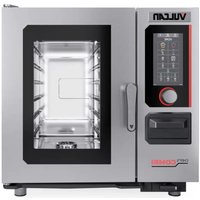
ABC7E-240P - Oven Vulcan - Free user manual and instructions
Find the device manual for free ABC7E-240P Vulcan in PDF.


Pick your language and provide your email: we'll send you a specifically translated version.
| Product Type | Commercial Convection Oven |
| Brand | Vulcan |
| Model | ABC7E-240P |
| Power Source | Electric, 240V |
| Dimensions (W x D x H) | 38 x 35 x 58 inches |
| Weight | 350 lbs |
| Temperature Range | 200°F to 500°F |
| Number of Racks | 5 racks |
| Interior Capacity | 10 cubic feet |
| Control Type | Electro-mechanical controls |
| Timer | 60-minute timer with audible alarm |
| Convection Fan | Dual-speed convection fan |
| Door | Double-glass window door |
| Interior Lighting | Incandescent interior light |
| Safety Features | Thermostat control and cool-touch handle |
| Cleaning | Stainless steel interior with removable crumb tray |
| Construction | Stainless steel body |
| Certifications | ETL and NSF listed |
| Warranty | 1-year limited parts and labor |
| Spare Parts Availability | Authorized Vulcan service partners |
Frequently Asked Questions - ABC7E-240P Vulcan
What is the temperature range of the Vulcan ABC7E-240P oven?
The temperature range is 200°F to 500°F, suitable for a wide variety of cooking applications.
How do I preheat the oven?
Turn the thermostat dial to the desired temperature and wait until the heating indicator light turns off, indicating the oven has reached the set temperature.
Can I use aluminum foil in this oven?
Yes, but avoid covering the convection fan and the bottom of the oven. Use foil only on baking sheets or pans to allow proper air circulation.
How often should I clean the oven?
Daily cleaning is recommended for commercial use. Wipe the interior with a damp cloth and mild detergent. Remove the crumb tray and clean it separately.
How do I replace the interior light bulb?
Disconnect the power, let the oven cool, then remove the bulb cover. Replace with a 120V appliance bulb of the same wattage and reattach the cover.
What does the convection fan do?
The convection fan circulates hot air evenly throughout the cavity, ensuring consistent baking and roasting while reducing cooking time.
How do I set the timer?
Turn the timer knob to the desired number of minutes, up to 60. The oven will ring an audible alarm when the time expires.
What safety precautions should I follow?
Always wear oven mitts, keep the oven away from flammable materials, and ensure the ventilation is unobstructed. Do not operate with a damaged power cord.
Where can I find spare parts?
Spare parts are available through authorized Vulcan service partners. Refer to the manual for the parts list and contact details.
How do I operate this oven for the first time?
Before first use, clean the interior and heating elements. Operate the oven at 450°F for 30 minutes to burn off any manufacturing residues, then ventilate the kitchen.
User questions about ABC7E-240P Vulcan
0 question about this device. Answer the ones you know or ask your own.
Ask a new question about this device
No questions yet. Be the first to ask one.
Download the instructions for your Oven in PDF format for free! Find your manual ABC7E-240P - Vulcan and take your electronic device back in hand. On this page are published all the documents necessary for the use of your device. ABC7E-240P by Vulcan.
USER MANUAL ABC7E-240P Vulcan
Manual assistant
Powered by Anthropic
Waiting for your message
Product information
Brand : Vulcan
Model : ABC7E-240P
Category : Oven