WM-60RT-01 - Wall mount Gembird - Free user manual and instructions
Find the device manual for free WM-60RT-01 Gembird in PDF.


Pick your language and provide your email: we'll send you a specifically translated version.
| Product Type | Wall Mount |
| Brand | Gembird |
| Model | WM-60RT-01 |
| Recommended Screen Size | 32 to 60 inches |
| VESA Compatibility | 100x100 to 600x400 mm |
| Maximum Weight Capacity | 45 kg (99 lb) |
| Tilt Adjustment | -5° to +15° |
| Swivel Range | ±30° |
| Rotation | ±3° |
| Distance from Wall | Adjustable from 50 mm to 400 mm |
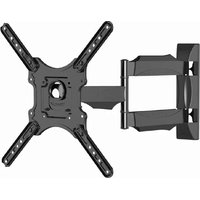
| Mount Type | Tilt/swivel wall mount |
| Material | Cold rolled steel |
| Surface Finish | Powder coated black |
| Screen Curvature Support | Up to 1500R curved screens |
| Installation Type | Single stud compatible |
| Product Dimensions | 600 x 360 x 50 mm |
| Net Weight | 2.6 kg |
| Power Supply | No electrical supply required |
| Package Contents | Bracket, mounting screws, spacers, level, manual |
| Maintenance | Wipe with a soft, dry cloth; no harsh solvents |
| Safety Features | Anti-dislodgement locks and secure wall fixings |
| Spare Parts Availability | Individual screws and brackets available on request |
| Repair Information | Contact Gembird support for repair options |
| General Information | Suitable for most flat and curved screens |
Frequently Asked Questions - WM-60RT-01 Gembird
What is the maximum screen size and weight supported by the Gembird WM-60RT-01?
The mount supports screens from 32 to 60 inches with a maximum weight of 45 kg. Always verify that your screen's weight is within this limit.
Which VESA patterns are compatible with this wall mount?
It fits VESA patterns from 100x100 mm up to 600x400 mm, covering most standard TVs and monitors.
Can I tilt the mounted screen to reduce glare?
Yes, the mount offers a tilt adjustment of -5° to +15°, allowing you to angle the screen for optimal viewing and reduced glare.
Does the mount swivel left and right?
Yes, it provides a swivel range of ±30° depending on the installation and available wall space.
What tools do I need for installation?
You'll need a drill, appropriate screwdriver, a spirit level, and a stud finder. All mounting hardware is included.
Can I install this wall mount on drywall?
Yes, it can be installed on drywall if you use the included anchors and ensure proper wall strength. For heavy screens, stud mounting is recommended.
Does the package include all necessary mounting hardware?
Yes, the package includes screws, spacers, a spirit level, and a manual for easy installation.
Is it possible to manage cables with this mount?
The adjustable distance from the wall (up to 400 mm) provides ample space for cable management behind the screen.
How should I clean and maintain the wall mount?
Wipe the surface with a soft dry cloth. Avoid harsh chemicals or solvents that may damage the paint finish.
Can I get spare parts or repair assistance if something breaks?
Yes, components like screws and brackets are available on request, and you can contact Gembird support for repair options.
User questions about WM-60RT-01 Gembird
0 question about this device. Answer the ones you know or ask your own.
Ask a new question about this device
No questions yet. Be the first to ask one.
Download the instructions for your Wall mount in PDF format for free! Find your manual WM-60RT-01 - Gembird and take your electronic device back in hand. On this page are published all the documents necessary for the use of your device. WM-60RT-01 by Gembird.
USER MANUAL WM-60RT-01 Gembird
Manual assistant
Powered by Anthropic
Waiting for your message
Product information
Brand : Gembird
Model : WM-60RT-01
Category : Wall mount