L42SP04U - Television HITACHI - Free user manual and instructions
Find the device manual for free L42SP04U HITACHI in PDF.


Pick your language and provide your email: we'll send you a specifically translated version.
| Product Type | LCD Television |
| Brand | Hitachi |
| Model | L42SP04U |
| Screen Size (Diagonal) | 42 inches (106.7 cm) |
| Display Resolution | Full HD 1920 x 1080 pixels |
| Aspect Ratio | 16:9 |
| Contrast Ratio | 1500:1 (typical) |
| Response Time | 8 ms |
| Viewing Angle | 178 degrees horizontal / 178 degrees vertical |
| Audio Output | 2 x 10 W |
| Connectivity | 3 x HDMI, 2 x SCART, 1 x VGA, 1 x USB, Component, Composite |
| Power Supply | AC 220-240 V, 50/60 Hz |
| Power Consumption (Operating) | 200 W |
| Power Consumption (Standby) | Less than 1 W |
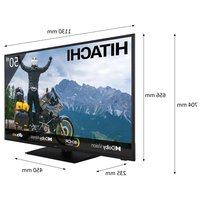
| Dimensions (with stand) | 1010 x 680 x 290 mm (W x H x D) |
| Dimensions (without stand) | 1010 x 640 x 120 mm (W x H x D) |
| Weight (with stand) | 21.5 kg |
| Weight (without stand) | 18.8 kg |
| Remote Control | Included |
| Additional Features | Teletext, Multi-picture, Noise Reduction |
| Cleaning and Maintenance | Use a soft dry cloth; avoid abrasive cleaners |
| Safety Precautions | Keep ventilation openings unobstructed; use in dry location |
| Spare Parts and Repairability | For repairs, contact Hitachi qualified service personnel |
Frequently Asked Questions - L42SP04U HITACHI
How do I connect my Hitachi L42SP04U to a cable box or satellite receiver?
Use an HDMI cable for high-definition. Connect one end to the HDMI port on the cable box and the other to one of the HDMI inputs (HDMI1, HDMI2, or HDMI3) on the back of the TV. Select the corresponding channel using the Input/Source button on the remote.
Can I mount the TV on the wall?
Yes, the L42SP04U is VESA compatible. Use a VESA 400 x 400 mm wall mount that supports the TV's weight. Ensure the wall is sturdy and follow the mount's instructions. Never use longer screws than specified to avoid damaging the TV.
How do I tune in digital channels?
Press the MENU button, go to Channel Setup, then select Auto Search. The TV will scan for available digital and analog channels. After the search, channels are stored automatically.
What should I do if the TV screen is dirty?
Turn off the TV and wait for it to cool. Use a soft, dry microfiber cloth to gently wipe the screen. For stubborn stains, slightly dampen the cloth with water (not wet). Do not use harsh chemicals, alcohol, or abrasive pads.
Why is there no sound from the TV?
Check if the volume is muted or set to zero. Verify that external devices are properly connected. In the Audio Menu, ensure the speaker settings are set to TV speakers (not external). If using earphones, unplug them.
How do I reset the TV to factory settings?
Press MENU, select Setup, then System Reset. Enter the PIN code if prompted (default is 0000 or 1234). Confirm the reset. All settings will be restored to defaults.
Can I play photos or videos from a USB stick?
Yes, insert the USB device into the USB port. Press the SOURCE button and select USB. Use the media player to browse and play compatible file formats (e.g., JPEG, MP3, DivX, MPEG).
What is the recommended viewing distance?
For a 42-inch Full HD TV, a comfortable viewing distance is 1.7 to 2.6 meters. Enjoy an immersive experience without causing eye strain.
How do I change the picture mode for sports or cinema?
Press the PICTURE button on the remote cycle through presets like Dynamic, Standard, Movie, Sport. You can also adjust contrast, brightness, and color in the Picture Settings menu.
What should I do if the TV does not power on?
First check that the power cord is securely connected and the wall outlet is working. If the standby LED is off, press the power button on the TV. If it remains off, unplug the TV for a minute and plug it back in. If the issue persists, contact Hitachi customer support.
User questions about L42SP04U HITACHI
0 question about this device. Answer the ones you know or ask your own.
Ask a new question about this device
No questions yet. Be the first to ask one.
Download the instructions for your Television in PDF format for free! Find your manual L42SP04U - HITACHI and take your electronic device back in hand. On this page are published all the documents necessary for the use of your device. L42SP04U by HITACHI.
USER MANUAL L42SP04U HITACHI


Manual assistant
Powered by Anthropic
Waiting for your message
Product information
Brand : HITACHI
Model : L42SP04U
Category : Television