55PMA550A - Television HITACHI - Free user manual and instructions
Find the device manual for free 55PMA550A HITACHI in PDF.


Pick your language and provide your email: we'll send you a specifically translated version.
| Product Type | Television |
| Brand | Hitachi |
| Model | 55PMA550A |
| Screen Size | 55 inches (139.7 cm) |
| Display Resolution | 3840 x 2160 (4K UHD) |
| Display Technology | LED |
| HDR Support | HDR10, HLG |
| Smart TV Platform | Android TV |
| Built-in Wi-Fi | Yes |
| Bluetooth | Yes |
| HDMI Ports | 3 |
| USB Ports | 2 |
| Audio Output Power | 2 x 10 W |
| Power Supply | AC 100-240 V, 50/60 Hz |
| Power Consumption (Max) | 150 W |
| Power Consumption (Standby) | 0.5 W |
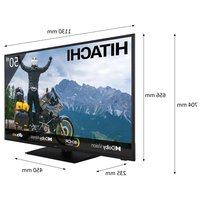
| Dimensions (Without Stand) | 1232 x 709 x 76 mm |
| Dimensions (With Stand) | 1232 x 779 x 275 mm |
| Weight (Without Stand) | 17.5 kg |
| Weight (With Stand) | 17.9 kg |
| VESA Wall Mount Pattern | 200 x 200 mm |
| Cleaning Instructions | Wipe with a soft, dry cloth; avoid liquids |
| Safety Warning | Do not expose to rain or moisture |
| Spare Parts and Repairability | Common parts available; professional repair recommended |
Frequently Asked Questions - 55PMA550A HITACHI
How do I connect my TV to the internet?
Press the Home button, go to Settings, select Network, then choose Wi-Fi. Select your network and enter the password.
How do I perform a factory reset?
Navigate to Settings > Device Preferences > Reset > Factory data reset. Enter your PIN if prompted and confirm.
Why does the TV not find any channels?
Make sure the antenna or cable is connected. Go to Channel Setup in the TV menu and select Auto Scan. Choose the correct signal type.
How can I connect a soundbar or external speaker?
Use an HDMI(ARC) port, an optical cable, or Bluetooth. Connect the audio cable to the corresponding port on both the TV and the speaker.
What is the recommended way to clean the screen?
Turn off the TV, wait for it to cool, and wipe gently with a soft dry microfiber cloth. Do not spray liquid directly on the screen.
Can I mount the TV on the wall?
Yes, the TV supports a VESA 200 x 200 mm wall mount. Use a compatible bracket and follow the instructions.
How do I update the software on the TV?
Go to Settings > Device Preferences > About > System update. Select Check for updates and follow the prompts.
How do I control the TV with my smartphone?
Download the Google Home or Android TV Remote Control app, ensure both devices are on the same Wi-Fi network, and pair via the app.
What should I do if the remote control stops working?
Check the batteries, replace them if needed. Make sure nothing is blocking the IR sensor. Try the physical power button on the TV.
How can I improve the picture quality?
Adjust the picture mode (e.g., Cinema, Sports), enable HDR content, and go to Settings > Display to fine-tune brightness, contrast, and color.
User questions about 55PMA550A HITACHI
0 question about this device. Answer the ones you know or ask your own.
Ask a new question about this device
No questions yet. Be the first to ask one.
Download the instructions for your Television in PDF format for free! Find your manual 55PMA550A - HITACHI and take your electronic device back in hand. On this page are published all the documents necessary for the use of your device. 55PMA550A by HITACHI.
USER MANUAL 55PMA550A HITACHI


Manual assistant
Powered by Anthropic
Waiting for your message
Product information
Brand : HITACHI
Model : 55PMA550A
Category : Television