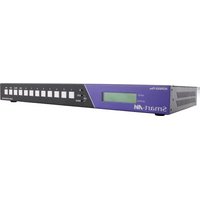
MXWall-Pro Max - Router Smart-AVI - Free user manual and instructions
Find the device manual for free MXWall-Pro Max Smart-AVI in PDF.


Pick your language and provide your email: we'll send you a specifically translated version.
| Product Type | Managed Network Router |
| Brand | Smart-AVI |
| Model | MXWall-Pro Max |
| Form Factor | 1U Rack-Mountable |
| Dimensions | 440 mm x 300 mm x 44 mm (17.3 x 11.8 x 1.7 in) |
| Weight | 4.5 kg (9.9 lbs) |
| Power Supply | Dual redundant AC 100-240V, 50/60Hz |
| Power Consumption | 45W typical |
| WAN Ports | 4 x 10/100/1000 Mbps RJ-45 |
| LAN Ports | 8 x 10/100/1000 Mbps RJ-45 |
| VPN Support | IPsec, OpenVPN, PPTP, L2TP |
| Firewall | Stateful packet inspection (SPI), DDoS protection |
| Quality of Service | Bandwidth management and prioritization |
| VLAN Support | IEEE 802.1Q, up to 4096 VLANs |
| DHCP Server | Built-in DHCP server with IP reservation |
| Management | Web GUI, CLI, SNMP v3 |
| Security Protocols | WPA2/WPA3 Enterprise, ACL, RADIUS |
| LED Indicators | Power, status, activity per port |
| Cooling | Quiet active cooling with replaceable fans |
| Operating Temperature | 0°C to 40°C (32°F to 104°F) |
| Storage Temperature | -10°C to 70°C (14°F to 158°F) |
| Humidity | 20% to 80% non-condensing |
| Maintenance | Use a dry cloth; ensure vents remain dust-free |
| Spare Parts and Repairability | Hot-swappable PSU and replaceable fan modules |
| General Information | Enterprise-grade router for high-availability networks |
Frequently Asked Questions - MXWall-Pro Max Smart-AVI
How to reset the MXWall-Pro Max to factory defaults?
Use the reset button on the front panel for 10 seconds until all LEDs blink simultaneously.
Can I set up multiple WAN connections for failover?
Yes, the router supports multi-WAN with automatic failover and load balancing. Configure each WAN interface in the web GUI under Network > WAN.
Does the MXWall-Pro Max support VPN tunnels?
It supports IPsec, OpenVPN, PPTP, and L2TP. Configure VPN from the VPN menu and choose the protocol.
What is the default management IP address and credentials?
Default IP is 192.168.10.1 with username admin and password admin. For security, change these after first login.
How to update the firmware?
Download the latest firmware from the Smart-AVI support site and upload it via System > Firmware Upgrade in the web interface.
How to configure VLANs for separate networks?
Navigate to Network > VLAN, create a new VLAN ID, and assign ports as tagged or untagged.
The router is overheating. What should I do?
Ensure proper ventilation and clean dust from fans. Replace faulty fans with compatible spare parts.
Can I prioritize VoIP traffic using QoS?
Yes, configure QoS rules to give precedence to VoIP packets based on port numbers (e.g., 5060) or DSCP tags.
How to back up the router configuration?
Go to System > Backup & Restore, click Download Backup, and save the file. Restore by uploading the backup file.
Does the router come with a rack-mount kit?
Yes, rack-mount ears and screws are included for installation in standard 19-inch racks.
User questions about MXWall-Pro Max Smart-AVI
0 question about this device. Answer the ones you know or ask your own.
Ask a new question about this device
No questions yet. Be the first to ask one.
Download the instructions for your Router in PDF format for free! Find your manual MXWall-Pro Max - Smart-AVI and take your electronic device back in hand. On this page are published all the documents necessary for the use of your device. MXWall-Pro Max by Smart-AVI.
USER MANUAL MXWall-Pro Max Smart-AVI


Manual assistant
Powered by Anthropic
Waiting for your message
Product information
Brand : Smart-AVI
Model : MXWall-Pro Max
Category : Router