DCAM20BK - Action Camera NEDIS - Free user manual and instructions
Find the device manual for free DCAM20BK NEDIS in PDF.


Pick your language and provide your email: we'll send you a specifically translated version.
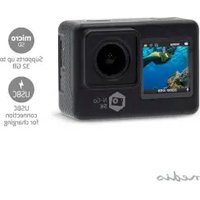
| Product type | Action camera |
| Brand | Nedis |
| Model | DCAM20BK |
| Color | Black |
| Dimensions (approx.) | 60 x 40 x 25 mm |
| Weight (approx.) | 80 g |
| Power source | Built-in rechargeable lithium-ion battery, USB charging |
| Video resolution | Full HD 1080p @ 30 fps |
| Photo resolution | 12 megapixels |
| Lens type | Wide-angle lens |
| Waterproof rating | Waterproof housing up to 30 m |
| Display | Built-in LCD screen |
| Storage media | MicroSD card slot (up to 32 GB) |
| Connectivity | USB, HDMI |
| Main functions | Video recording, photo capture, time-lapse, loop recording |
| Mounting options | Standard tripod mount, included mounts and accessories |
| Care and cleaning | Wipe the exterior with a soft, dry cloth |
| Safety precautions | Always use the waterproof housing when submerged; keep away from heat sources |
| Spare parts and reparability | Replacement battery, mounts, and cables available separately |
| General information | Free user manual available for download in PDF format |
Frequently Asked Questions - DCAM20BK NEDIS
How do I charge the Nedis DCAM20BK action camera?
Connect the camera to a USB power source using the included USB cable. The built-in lithium-ion battery will charge. A full charge typically takes about 2 hours.
Is the camera waterproof without the housing?
No, the camera itself is not waterproof. You must use the included waterproof housing to protect it when recording underwater or in wet conditions. The housing is rated up to 30 meters.
What memory card should I use?
This camera accepts MicroSD cards up to 32 GB. For best performance, use a Class 10 or higher card to ensure smooth Full HD video recording.
How do I transfer photos and videos to my computer?
You can transfer files by connecting the camera to your computer via USB, or by removing the MicroSD card and using a card reader. The camera also supports HDMI output for direct playback.
Can I take photos while recording video?
Most action cameras, including this model, allow you to capture still photos while recording video, but the resolution may be limited. Check the user manual for the specific setting.
How do I set the time-lapse mode?
Use the mode button to cycle through shooting modes until you see time-lapse on the LCD screen. Then select the interval (e.g., 1, 2, or 5 seconds) in the settings menu.
What accessories are included in the box?
The package typically includes the camera, a waterproof housing, various mounting brackets, adhesive mounts, a USB cable, and a user manual. Check the box contents on the retail package.
How do I clean the camera lens?
Use a soft, lint-free cloth to gently wipe the lens. Avoid using harsh chemicals or abrasive materials. For the housing, rinse with fresh water after saltwater use and dry before storing.
Can I use the camera while charging?
Yes, you can operate the camera while it is connected to a power source via USB, but this may generate extra heat. It is recommended to use it only when necessary to avoid overheating.
Where can I find the user manual?
The user manual is available for free download in PDF format from the official support website. You can also find it on the product page at notice-facile.com or via the manufacturer's website.
User questions about DCAM20BK NEDIS
0 question about this device. Answer the ones you know or ask your own.
Ask a new question about this device
No questions yet. Be the first to ask one.
Download the instructions for your Action Camera in PDF format for free! Find your manual DCAM20BK - NEDIS and take your electronic device back in hand. On this page are published all the documents necessary for the use of your device. DCAM20BK by NEDIS.
USER MANUAL DCAM20BK NEDIS



Manual assistant
Powered by Anthropic
Waiting for your message
Product information
Brand : NEDIS
Model : DCAM20BK
Category : Action Camera