NOVI T30 - NAS Fantec - Free user manual and instructions
Find the device manual for free NOVI T30 Fantec in PDF.


Pick your language and provide your email: we'll send you a specifically translated version.
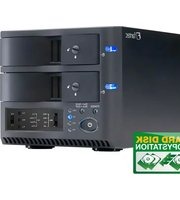
| Product Type | Network Attached Storage (NAS) |
| Brand | Fantec |
| Model | NOVI T30 |
| Form Factor | Desktop |
| Drive Bays | 2 x 3.5-inch SATA HDD/SSD |
| RAID Modes | JBOD, RAID 0, RAID 1 |
| Processor | Dual-core 1.0 GHz |
| Memory | 512 MB DDR3 |
| Ethernet Port | 1 x Gigabit Ethernet |
| USB Ports | 2 x USB 3.0 |
| Cooling | 1 x 60mm fan |
| Max Capacity | 16 TB (2 x 8 TB) |
| Power Supply | External 40W adapter |
| Dimensions (W x D x H) | 220 x 130 x 55 mm |
| Weight | 1.2 kg |
| Supported Protocols | SMB/CIFS, NFS, AFP, FTP |
| Operating System | Linux-based embedded OS |
| Management Interface | Web-based GUI |
| Media Features | DLNA server, iTunes server |
| Backup Solutions | Automatic scheduled backups, cloud sync |
| Security Features | User/group permissions, AES volume encryption |
| Operating Temperature | 5°C to 40°C |
| Package Contents | NAS unit, power adapter, network cable, manual |
| Warranty | 2 years limited warranty |
Frequently Asked Questions - NOVI T30 Fantec
How do I set up the Fantec NOVI T30 NAS?
Connect the Ethernet cable to your router, install the hard drives, then power on the unit. Access the web-based interface from your browser using the default IP address, and follow the setup wizard to configure your storage and network settings.
Which hard drives are compatible with the NOVI T30?
The NOVI T30 supports any 3.5-inch SATA HDD or SSD. For best reliability, use NAS-class drives like WD Red or Seagate IronWolf, which are optimized for 24/7 operation and RAID environments.
How can I configure RAID on my Fantec NAS?
In the disk management section of the web interface, you can select the RAID level. For two drives, choose RAID 1 for automatic mirroring, which protects your data if one drive fails. RAID 0 offers speed but no redundancy.
How do I access files from Windows or macOS?
Once the NAS is on your network, open File Explorer (or Finder) and go to Network. Find the Fantec device, and you can map it as a network drive using the SMB/CIFS protocol.
Does the NOVI T30 support DLNA media streaming?
Yes, the built-in DLNA server allows you to stream photos, music, and videos to smart TVs, game consoles, and other compatible players. Simply enable the feature in the Media Server settings and point it to your media folders.
How can I update the firmware on my Fantec NAS?
Check the Fantec official website for the latest firmware version. Download the file, then in the System Management page, choose Firmware Update and upload the file. Keep the NAS connected to a stable power source during the update.
What should I do if my NAS is not detected on the network?
First, verify the Ethernet cable is properly connected and the router shows a link. Use the Fantec NAS finder utility to locate the device. If it remains undetected, try a different cable or port, and ensure your antivirus/firewall is not blocking the detection.
Can I set a power schedule for energy saving?
Yes, the NOVI T30 includes power management options. You can define a sleep schedule or automatic shutdown/restart times in the System Settings. This helps reduce power consumption when the NAS is not in use.
How does RAID 1 protect my data and how do I recover from a drive failure?
In RAID 1, all data is mirrored across both drives. If one drive fails, the system continues to operate with the other drive. Replace the faulty drive with a new one of equal or larger size, and the NAS will automatically rebuild the mirror.
Is there a mobile app to access my files remotely?
While Fantec does not provide a proprietary app, you can access your files remotely via web browsing with the NAS IP, or use third-party apps like ES File Explorer or FileZilla for FTP access. Enable remote access in the network settings with caution and use a secure password.
User questions about NOVI T30 Fantec
0 question about this device. Answer the ones you know or ask your own.
Ask a new question about this device
No questions yet. Be the first to ask one.
Download the instructions for your NAS in PDF format for free! Find your manual NOVI T30 - Fantec and take your electronic device back in hand. On this page are published all the documents necessary for the use of your device. NOVI T30 by Fantec.
USER MANUAL NOVI T30 Fantec


Manual assistant
Powered by Anthropic
Waiting for your message
Product information
Brand : Fantec
Model : NOVI T30
Category : NAS