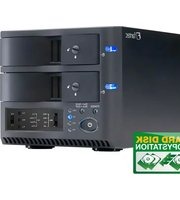
NOVI F20 - Docking Station Fantec - Free user manual and instructions
Find the device manual for free NOVI F20 Fantec in PDF.


Pick your language and provide your email: we'll send you a specifically translated version.
| Type of product | Docking station |
| Brand | Fantec |
| Model | NOVI F20 |
| Compatible devices | Laptops with USB-C or Thunderbolt 3 |
| Video output | HDMI, DisplayPort |
| Maximum resolution | 4K at 60Hz |
| USB ports | 2x USB 3.0 Type-A, 1x USB-C |
| Network | Gigabit Ethernet RJ45 |
| Power delivery | Up to 85W to host laptop |
| Dimensions | 119 x 79 x 28 mm |
| Weight | 180 g |
| Material | Aluminum alloy |
| Power supply | External adapter, 100-240V AC |
| LED indicator | Power and activity status |
| Operating systems | Windows, macOS, Linux |
| Installation | Plug and play, no drivers needed |
| Maintenance | Clean with a soft dry cloth |
| Safety features | Overcurrent, overvoltage and short-circuit protection |
| Spare parts and repairability | Detachable USB-C cable, replaceable power adapter |
| Package contents | Docking station, power adapter, user manual |
Frequently Asked Questions - NOVI F20 Fantec
What devices are compatible with the Fantec NOVI F20?
The NOVI F20 works with laptops and ultrabooks that have a USB-C port with DisplayPort Alt Mode or Thunderbolt 3/4. It is compatible with Windows, macOS and Linux systems.
Does the docking station support dual monitors?
Yes, it supports up to two external displays via HDMI and DisplayPort, with resolutions up to 4K at 60Hz when connected to a compatible host.
Can it charge my laptop?
Yes, the NOVI F20 provides Power Delivery of up to 85W, allowing your laptop to be charged while connected. Ensure your USB-C cable supports high-wattage charging.
Do I need to install drivers?
No, the dock is plug-and-play on most operating systems. For advanced features like wake-on-LAN or firmware updates, you may download the latest software from the Fantec website.
How do I connect the dock to my laptop?
Simply connect the USB-C cable from the dock to your laptop's USB-C port. Then connect your peripherals and external monitors to the dock's ports.
Does it work with my smartphone or tablet?
It can work with devices that support USB-C video output and (or) OTG, but it is primarily designed for laptops. Check your device's specifications for USB-C Alt Mode.
What is the maximum power output for charging my laptop?
The adapter and dock together can deliver up to 85W to the host laptop, which covers most mid-size notebooks. For high-performance gaming laptops, check the required wattage.
Can I use the Ethernet port for a wired network?
Yes, the Gigabit Ethernet port provides stable, wired internet connections. Once connected, the network will be automatically detected.
How do I clean and maintain the docking station?
Use a soft, dry, lint-free cloth to wipe the exterior. Do not use liquid cleaners or immerse the device in water. Unplug the dock before cleaning.
What should I do if the dock is not detected?
First, check all connections and ensure your laptop's USB-C port supports DisplayPort Alt Mode. Try a different USB-C cable or port. Update your laptop's chipset drivers and, if necessary, reset the dock by unplugging it for 10 seconds and reconnecting.
User questions about NOVI F20 Fantec
0 question about this device. Answer the ones you know or ask your own.
Ask a new question about this device
No questions yet. Be the first to ask one.
Download the instructions for your Docking Station in PDF format for free! Find your manual NOVI F20 - Fantec and take your electronic device back in hand. On this page are published all the documents necessary for the use of your device. NOVI F20 by Fantec.
USER MANUAL NOVI F20 Fantec


Manual assistant
Powered by Anthropic
Waiting for your message
Product information
Brand : Fantec
Model : NOVI F20
Category : Docking Station