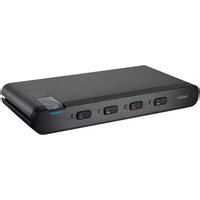
F1DN102FLP-DP-3 - Switch BELKIN - Free user manual and instructions
Find the device manual for free F1DN102FLP-DP-3 BELKIN in PDF.


Pick your language and provide your email: we'll send you a specifically translated version.
| Product Type | Secure KVM Switch |
| Brand | Belkin |
| Model | F1DN102FLP-DP-3 |
| Category | Switch |
| Number of Computers Supported | 2 |
| Video Interface | DisplayPort |
| Maximum Video Resolution | 3840 x 2160 @ 60 Hz |
| USB Peripheral Ports | 4 (keyboard, mouse, and other peripherals) |
| Audio Support | 3.5mm microphone and speaker jacks |
| Switching Method | Front panel buttons, hotkey commands |
| Power Supply | External AC adapter (DC 5V) |
| Dimensions (W x D x H) | 9.5 x 3.5 x 1.2 inches |
| Weight | 1.5 lbs |
| Security Features | Tamper-evident seals, isolated port switching |
| Compliance | FCC, CE, RoHS |
| Color | Black |
| Package Contents | KVM switch, power adapter, user manual |
| Maintenance and Cleaning | Wipe with a dry, soft cloth |
| Spare Parts and Repairability | Not user-serviceable; contact Belkin support |
Frequently Asked Questions - F1DN102FLP-DP-3 BELKIN
Does the Belkin F1DN102FLP-DP-3 support 4K resolution?
Yes, it supports 4K at 60 Hz over DisplayPort, providing crisp video quality for dual-monitor setups.
How do I switch between computers?
You can switch using the front panel buttons or via hotkey commands on your keyboard, such as Scroll Lock + Scroll Lock + 1 or 2.
Can I share USB devices between the connected computers?
Absolutely. The built-in 4-port USB hub lets you share devices like a keyboard, mouse, flash drive, or other peripherals.
Does this KVM switch require software drivers?
No. It works as a hardware solution and is compatible with most operating systems without additional drivers.
What security features does this switch include?
It features tamper-evident seals and isolated port switching to prevent unauthorized access and data leakage.
Is this KVM switch suitable for a government or military environment?
Yes, it is designed to meet strict security standards for high-security applications, including NIAP-certified options.
What is the maximum cable length I can use?
We recommend keeping DisplayPort cables under 3 meters (10 feet) for optimal signal integrity.
Can I connect both a PC and a Mac to this KVM switch?
Yes, it works with any computer that has a DisplayPort output and USB, regardless of the operating system.
Does the switch support audio?
Yes, it has 3.5mm jacks for both microphone and speakers, allowing you to share audio devices as well.
How do I power the switch?
The switch comes with an external AC adapter that connects to a standard power outlet, ensuring stable operation.
User questions about F1DN102FLP-DP-3 BELKIN
0 question about this device. Answer the ones you know or ask your own.
Ask a new question about this device
No questions yet. Be the first to ask one.
Download the instructions for your Switch in PDF format for free! Find your manual F1DN102FLP-DP-3 - BELKIN and take your electronic device back in hand. On this page are published all the documents necessary for the use of your device. F1DN102FLP-DP-3 by BELKIN.
USER MANUAL F1DN102FLP-DP-3 BELKIN


Manual assistant
Powered by Anthropic
Waiting for your message
Product information
Brand : BELKIN
Model : F1DN102FLP-DP-3
Category : Switch