
Clié PEGA-WL100 - Digital Personal Assistant SONY - Free user manual and instructions
Find the device manual for free Clié PEGA-WL100 SONY in PDF.
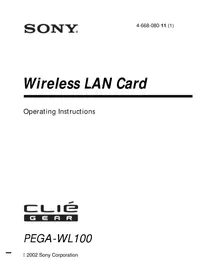


Pick your language and provide your email: we'll send you a specifically translated version.
| Product Type | Wireless LAN Card (CompactFlash Type II) |
| Brand | Sony |
| Model | Clié PEGA-WL100 |
| Interface | CompactFlash Type II slot |
| Wireless Standard | IEEE 802.11b |
| Frequency Band | 2.4 GHz |
| Data Transfer Rate | Up to 11 Mbps |
| Security | WEP 64/128-bit encryption |
| Network Modes | Ad-hoc and infrastructure (access point) modes |
| Compatibility | Sony Clié handhelds running Palm OS 4.1 or later with a CompactFlash slot |
| Power Source | Powered by the handheld device via the CompactFlash slot |
| Power Consumption | Low power design, approx. 200 mA in transmit mode |
| Dimensions | Approx. 75 x 42 x 15 mm (with antenna folded) |
| Weight | Approx. 45 g |
| Supported Protocols | TCP/IP, DHCP, PPP |
| Maintenance | Clean gently with a dry soft cloth; avoid moisture and harsh chemicals |
| Safety Precautions | Do not use near medical equipment or in areas where wireless signals are prohibited |
| General Information | Enhanced mobility for web browsing, email, and network access on your Clié PDA |
Frequently Asked Questions - Clié PEGA-WL100 SONY
What is the Sony Clié PEGA-WL100?
The Sony Clié PEGA-WL100 is a CompactFlash Type II wireless LAN card that adds IEEE 802.11b Wi-Fi connectivity to compatible Sony Clié handhelds. It allows you to access the internet, check email, and connect to local networks.
Is the PEGA-WL100 compatible with my Clié model?
The card is designed for Sony Clié handhelds running Palm OS 4.1 or later and equipped with a CompactFlash Type II slot. Check your device's manual to confirm compatibility before purchasing or installing.
How do I install the PEGA-WL100 wireless card?
Insert the card firmly into the CompactFlash slot on your Clié handheld. The device should recognize it automatically. If not, install the drivers from the included setup CD or download them from Sony's support website, then restart the handheld.
How do I configure the wireless connection on my Clié?
Open the Wireless LAN utility on your Clié. Select your network from the scan list or manually enter the SSID. For infrastructure mode, choose the access point; for ad-hoc mode, set a common SSID and channel with other devices. Enter the encryption key if WEP is enabled.
What security protocols are supported?
The PEGA-WL100 supports WEP (Wired Equivalent Privacy) with 64-bit and 128-bit key encryption. It does not support WPA or WPA2. For better security, consider using a VPN or a separate secure access point.
How do I set up an ad-hoc connection between two Clié devices?
In the utility, set both devices to Ad-hoc mode, choose the same SSID, and select an identical channel. Ensure that WEP keys match if security is enabled. The devices should then detect each other for direct file transfer or peer-to-peer networking.
Why can't I connect to my network?
Check that the SSID and WEP key are correct. Ensure the access point is broadcasting on a compatible channel. Verify that the Clié has a valid IP address via DHCP. Also confirm that the card is fully inserted and the driver is loaded.
How do I update the drivers for the PEGA-WL100?
Visit Sony's support website and search for the PEGA-WL100. Download the latest driver and utility package. Transfer the file to your Clié and run the installer, or use the included CD if it has a newer revision. Always back up your data before updating.
Can I use this card with devices other than Sony Clié?
Officially, the PEGA-WL100 is made for Sony Clié handhelds. While some other Palm OS devices with a CompactFlash slot might potentially work, drivers may not be available. It is not intended for use with desktop computers or laptops.
What is the typical wireless range of this card?
The range is similar to standard IEEE 802.11b devices: up to 35 meters indoors and 100 meters outdoors in open space. Actual range depends on obstacles, interference, and antenna placement.
User questions about Clié PEGA-WL100 SONY
0 question about this device. Answer the ones you know or ask your own.
Ask a new question about this device
No questions yet. Be the first to ask one.
Download the instructions for your Digital Personal Assistant in PDF format for free! Find your manual Clié PEGA-WL100 - SONY and take your electronic device back in hand. On this page are published all the documents necessary for the use of your device. Clié PEGA-WL100 by SONY.
USER MANUAL Clié PEGA-WL100 SONY
Manual assistant
Powered by Anthropic
Waiting for your message
Product information
Brand : SONY
Model : Clié PEGA-WL100
Category : Digital Personal Assistant