
Vertis 5020 Aim - Smartphone Overmax - Free user manual and instructions
Find the device manual for free Vertis 5020 Aim Overmax in PDF.


| Product type | Smartphone |
| Brand | Overmax |
| Model | Vertis 5020 Aim |
| Display | 5.0-inch capacitive touchscreen |
| Resolution | HD (1280 x 720 pixels) |
| Processor | Quad-core 1.3 GHz |
| RAM | 2 GB |
| Internal storage | 16 GB (expandable via microSD up to 64 GB) |
| Operating system | Android (version varies by region) |
| Rear camera | 8 MP with autofocus and LED flash |
| Front camera | 2 MP for selfies and video calls |
| Battery capacity | 2050 mAh removable |
| Connectivity | 4G LTE, Wi-Fi 802.11 b/g/n, Bluetooth 4.0, GPS |
| SIM card | Dual SIM (Micro-SIM) |
| Dimensions | Approx. 142 x 71 x 8.9 mm |
| Weight | Approx. 155 g |
| Power input | Micro USB port for charging and data transfer |
| Sensors | Accelerometer, proximity, ambient light |
| Maintenance | Wipe screen with soft dry cloth; avoid harsh solvents |
| Repairability | Replaceable battery and internal components; user-replaceable SIM and SD cards |
Frequently Asked Questions - Vertis 5020 Aim Overmax
User questions about Vertis 5020 Aim Overmax
0 question about this device. Answer the ones you know or ask your own.
Ask a new question about this device
Download the instructions for your Smartphone in PDF format for free! Find your manual Vertis 5020 Aim - Overmax and take your electronic device back in hand. On this page are published all the documents necessary for the use of your device. Vertis 5020 Aim by Overmax.
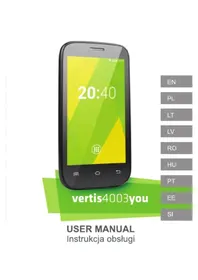
USER MANUAL Vertis 5020 Aim Overmax
To switch on the phone, press and hold the power button for several seconds.
At the first start of the phone, the assistant will carry through the basic settings configuration.
Opening the device

Switch off your phone before installing or replacing the battery, SIM, or memory card.
Remove the back cover.
Hold the SIM card with the cut corner oriented as shown and slip it into the card holder.
Insert the memory card into the card slot with the metal contacts facing down until it inserts to the right position.
Insert the battery by aligning the gold contacts on the battery with the gold contacts in the battery compartment. Gently push down on the battery until it clicks into place.
Press the cover gently back into place until you hear a click.
Keys Explained

Menu
Home
Back
Power
Press to get the options for the current screen.
Press to return to the Home Screen from any application or screen. Hold to see recently used applications.
Press to go to the previous screen.
Hold to switch audio profiles, or to turn on or off Airplane mode, or to power off. Press to switch your phone to Sleep mode. Press to wake up your phone.
Phone Calls
Press Home key > tap 📄> Phone or tap 📋 on the Home Screen.
Enter the phone number using the on-screen keypad.
Tap the dial icon.
Sending an Message
Press Home key > tap 📋 > Messaging.
Tap 📄 to create new message.
Enter the recipient's number or name. As you type, matching contacts will appear. Tap a suggested contact to add as a recipient. You can also tap 🥐 to select recipients from the contacts.
Tap Type text message and type your message.
- Tap Menu Key to insert quick text or contact.
- If you are sending an MMS, tap Menu Key to add a subject, or to attach pictures, videos, audio, or slideshow.
Tap ➤ to send your message.
Taking Pictures with Your Camera
Your phone has camera function. Open it by pressing Home Key >
tap > Camera.
Tap to take a picture. To view it, just tap the picture in the right corner of the screen.
Information
More information about the use of the device and the system can be found at: www.overmax.eu
Witaj!
Isključite telefon prije umetanja ili zamjene baterije, SIM kartice ili memorijske kartice.
Skinite stražnji poklopac.
Držite SIM karticu s odrezanim kutem usmjerenim kao što je prikazano i gurnite u držač kartice.
Umetnite memorijsku karticu u utor za kartice s metalnim kontaktima okrenutu prema dolje dok ne sjedne na pravo mjesto.
Umetnite bateriju tako da poravnate zlatne kontakte na bateriji s zlatnim kontaktima u odjeljku za baterije. Lagano gurnite bateriju prema dolje dok ne sjedne na svoje mjesto.



Brand : Overmax
Model : Vertis 5020 Aim
Category : Smartphone