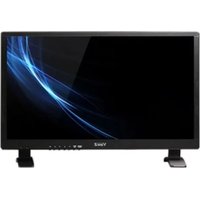
VZ-40NL - Screen ViewZ - Free user manual and instructions
Find the device manual for free VZ-40NL ViewZ in PDF.


Pick your language and provide your email: we'll send you a specifically translated version.
| Type of product | Professional LED Monitor |
| Brand | ViewZ |
| Model | VZ-40NL |
| Screen size | 40 inches (101.6 cm) |
| Resolution | 3840 x 2160 (4K UHD) |
| Panel type | IPS with LED backlight |
| Aspect ratio | 16:9 |
| Brightness | 350 cd/m² |
| Contrast ratio | 1200:1 (static) |
| Response time | 5 ms (GTG) |
| Refresh rate | 60 Hz |
| Viewing angles | 178° horizontal / 178° vertical |
| Connectivity | HDMI x2, DisplayPort x1, VGA x1, USB 2.0 x2 |
| Power consumption | 80 W typical, less than 1 W in standby |
| Input voltage | 100-240 V AC, 50/60 Hz |
| Weight | 8.5 kg (with stand) |
| Dimensions (W x H x D) | 926 x 540 x 58 mm (without stand) |
| VESA mount | 200 x 200 mm |
| Extra features | Flicker-free, Low Blue Light, Picture-in-Picture |
| Cleaning | Use a soft dry microfiber cloth; avoid solvents |
| Safety certifications | CE, FCC, RoHS compliant |
| Repairability and spare parts | Spare parts available; contact authorized service |
Frequently Asked Questions - VZ-40NL ViewZ
What is the native resolution of the ViewZ VZ-40NL?
The native resolution is 3840 x 2160 (4K UHD). Use a suitable HDMI or DisplayPort cable to get the best image quality.
Does the VZ-40NL support wall mounting?
Yes, it has a VESA 200x200 mm mount pattern. Use compatible wall mount hardware.
How do I clean the screen safely?
Power off the monitor and wipe with a soft dry microfiber cloth. For stubborn stains, slightly dampen the cloth with water. Never use alcohol or abrasive cleaners.
Can I connect multiple devices simultaneously?
Yes, the monitor has two HDMI ports, one DisplayPort, and one VGA input. Use the Source button on the OSD to switch between them.
Is the VZ-40NL suitable for gaming?
While it offers a 5ms response time and 60Hz refresh rate, it is not specifically designed for competitive gaming. It is better for professional work and media consumption.
Does it have built-in speakers?
The VZ-40NL typically includes integrated speakers (2 x 5W). Check the audio output settings in the OSD.
How can I adjust the picture settings?
Press the Menu button to open the On-Screen Display. You can adjust brightness, contrast, color temperature, and gamma.
What is the power consumption in standby mode?
The monitor uses less than 1 W in standby, making it energy efficient.
Does the monitor support PIP (Picture-in-Picture)?
Yes, it supports Picture-in-Picture and Picture-by-Picture modes, useful for multitasking with two input sources.
Where can I find the user manual for this device?
The full user manual is available for download on notice-facile.com in PDF format. You can find it on this page.
User questions about VZ-40NL ViewZ
0 question about this device. Answer the ones you know or ask your own.
Ask a new question about this device
No questions yet. Be the first to ask one.
Download the instructions for your Screen in PDF format for free! Find your manual VZ-40NL - ViewZ and take your electronic device back in hand. On this page are published all the documents necessary for the use of your device. VZ-40NL by ViewZ.
USER MANUAL VZ-40NL ViewZ

Manual assistant
Powered by Anthropic
Waiting for your message
Product information
Brand : ViewZ
Model : VZ-40NL
Category : Screen