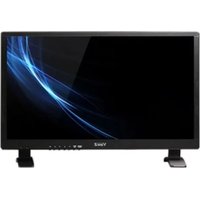
VZ-27LX - Screen ViewZ - Free user manual and instructions
Find the device manual for free VZ-27LX ViewZ in PDF.


Pick your language and provide your email: we'll send you a specifically translated version.
| Product Type | 27-inch LED Monitor |
| Brand | ViewZ |
| Model | VZ-27LX |
| Screen Size | 27 inches (68.6 cm) diagonal |
| Panel Type | IPS (In-Plane Switching) |
| Display Resolution | 1920 x 1080 pixels (Full HD) |
| Aspect Ratio | 16:9 |
| Brightness | 250 cd/m² (typical) |
| Contrast Ratio | 1000:1 (static) |
| Viewing Angle | 178° horizontal / 178° vertical |
| Response Time | 5 ms (GTG) |
| Connectivity | 1 x HDMI, 1 x VGA |
| Power Supply | AC 100-240V, 50/60Hz |
| Power Consumption | 30 W (typical), <0.5 W standby |
| Dimensions with Stand (W x H x D) | 614 mm x 450 mm x 200 mm |
| Weight with Stand | 4.5 kg |
| VESA Mount | 100 x 100 mm |
| Built-in Speakers | 2 x 2 W |
| Display Features | Flicker-free technology, Blue light filter |
| Cleaning Instructions | Wipe with a soft, dry microfiber cloth. Do not use abrasive cleaners. |
| Safety Warnings | Use only the supplied power adapter. Do not expose to moisture or heat sources. |
| Spare Parts & Repairability | Spare parts available from authorized ViewZ service centers. Designed for recyclability. |
| General Information | Suitable for office and home use. Includes 3-year warranty. |
Frequently Asked Questions - VZ-27LX ViewZ
How do I connect my ViewZ VZ-27LX to my computer?
Use an HDMI or VGA cable. Connect one end to the monitor and the other to your PC's graphics card. Then select the correct input source using the monitor's OSD menu.
What is the native resolution of this monitor?
The native resolution is 1920 x 1080 pixels (Full HD). For best image quality, set your computer's output to this resolution.
How can I adjust the brightness and contrast on the VZ-27LX?
Press the menu button on the bezel to open the On-Screen Display (OSD). Navigate to Picture settings where you can adjust brightness, contrast and other display parameters.
Does the VZ-27LX have built-in speakers?
Yes, it includes two built-in speakers rated at 2W each. The audio input is available via HDMI or a 3.5mm jack (if present). Check your model's connectivity.
Can I mount this monitor on a wall?
Yes, the monitor supports VESA mounting with a 100 x 100 mm pattern. Use a compatible VESA wall mount kit and follow the mounting instructions.
What should I do if the screen is flickering?
The monitor features flicker-free technology, but if you still notice flicker, try changing the refresh rate in your display settings, or ensure the cable is securely connected. Also check if the blue light filter is enabled.
How do I clean the screen safely?
Turn off the monitor and unplug it. Use a soft, dry microfiber cloth to gently wipe the screen. Avoid using water, alcohol, or abrasive cleaners.
What is the warranty period for the VZ-27LX?
The ViewZ VZ-27LX comes with a standard 3-year limited warranty covering manufacturing defects. Keep your proof of purchase.
How do I reset the monitor to factory settings?
Open the OSD menu, go to Setup or Other, select Reset and confirm. This restores all display settings to their default values.
Is the monitor energy-efficient?
Yes, it consumes only 30W in typical use and less than 0.5W in standby mode, meeting standard energy-saving requirements.
User questions about VZ-27LX ViewZ
0 question about this device. Answer the ones you know or ask your own.
Ask a new question about this device
No questions yet. Be the first to ask one.
Download the instructions for your Screen in PDF format for free! Find your manual VZ-27LX - ViewZ and take your electronic device back in hand. On this page are published all the documents necessary for the use of your device. VZ-27LX by ViewZ.
USER MANUAL VZ-27LX ViewZ

Manual assistant
Powered by Anthropic
Waiting for your message
Product information
Brand : ViewZ
Model : VZ-27LX
Category : Screen