Clié PEGA-UC600 - Docking Station SONY - Free user manual and instructions
Find the device manual for free Clié PEGA-UC600 SONY in PDF.


Pick your language and provide your email: we'll send you a specifically translated version.
| Type of product | Docking Station |
| Brand | Sony |
| Model | Clié PEGA-UC600 |
| Compatible devices | Sony Clié PEG series handhelds |
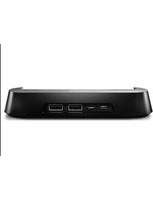
| Connectivity | USB 2.0, cradle connector |
| Power supply | USB bus-powered (5V DC) |
| Data transfer | Synchronization and data exchange |
| Charging function | Charges Clié battery while docked |
| Dimensions (W x D x H) | 89 x 70 x 32 mm |
| Weight | 95 g |
| LED indicators | Power and charging status |
| Package contents | Docking station, USB cable, user manual |
| Color | Silver and black |
| Materials | ABS plastic |
| Operating temperature | 5°C to 35°C |
| Storage temperature | -20°C to 60°C |
| Humidity range | 10% to 80% non-condensing |
| Compatibility with OS | Windows 98/Me/2000/XP, Mac OS 8.6 or later |
| Maintenance | Clean with a dry, soft cloth |
| Safety warnings | Keep away from water and moisture |
| Repairability | No user-serviceable parts; contact Sony support |
| Environmental compliance | RoHS compliant |
Frequently Asked Questions - Clié PEGA-UC600 SONY
What devices are compatible with the Sony Clié PEGA-UC600 docking station?
The PEGA-UC600 is designed for Sony Clié PEG-series handhelds. It supports models with the standard Clié docking connector, including popular models like the PEG-NR70 and PEG-TJ35.
How do I connect the docking station to my computer?
Connect the included USB cable to the docking station and an available USB port on your computer. Place your Clié handheld onto the cradle; it will automatically begin syncing and charging.
Does the docking station charge the Clié PDA while syncing?
Yes, the docking station provides power and data through the same connector. Your Clié's battery will be charged whenever it is docked and the USB cable is connected to a powered port.
Is the docking station powered by USB only?
Yes, the PEGA-UC600 is USB bus-powered, requiring no external power adapter. The 5V supply from your computer powers both charging and data transfer.
Do I need to install drivers for the PEGA-UC600?
On most systems, the docking station uses standard USB drivers and the Palm Desktop software for your Clié handheld. No separate driver is needed for the dock itself.
Can I use the docking station with a modern Windows computer?
While modern Windows versions may not include legacy Clié sync software, you can often use it with Palm Desktop running in compatibility mode. Hardware recognition should work via USB, but advanced features may be limited.
How do I clean the docking station?
Unplug the docking station before cleaning. Use a dry, lint-free cloth to wipe the exterior. Avoid using liquids or sprays, which could damage the connector.
What should I do if the docking station does not recognize my device?
Check that the USB cable is firmly connected and the Clié is properly seated on the dock. Try a different USB port and reinstall Palm Desktop. If the issue persists, test with another Clié device to isolate the problem.
Does the docking station support data transfer at high speed?
The PEGA-UC600 uses USB 1.1/2.0 signaling, providing transfer speeds up to 12 Mbps for synchronization, which is sufficient for contacts, calendar, and files.
Is the PEGA-UC600 compatible with Mac OS?
Yes, the dock works with Mac OS 8.6 or later when using the Palm Desktop for Mac software. However, be sure to check that your specific Clié model has Mac-compatible drivers.
User questions about Clié PEGA-UC600 SONY
0 question about this device. Answer the ones you know or ask your own.
Ask a new question about this device
No questions yet. Be the first to ask one.
Download the instructions for your Docking Station in PDF format for free! Find your manual Clié PEGA-UC600 - SONY and take your electronic device back in hand. On this page are published all the documents necessary for the use of your device. Clié PEGA-UC600 by SONY.
USER MANUAL Clié PEGA-UC600 SONY
Manual assistant
Powered by Anthropic
Waiting for your message
Product information
Brand : SONY
Model : Clié PEGA-UC600
Category : Docking Station