APG20MK2 - Audio/video converter Audac - Free user manual and instructions
Find the device manual for free APG20MK2 Audac in PDF.


Pick your language and provide your email: we'll send you a specifically translated version.
| Product Type | Audio/Video Converter |
| Brand | Audac |
| Model | APG20MK2 |
| Input Interfaces | HDMI, VGA, Composite Video, Stereo Audio (RCA) |
| Output Interfaces | HDMI, VGA, Composite Video, Stereo Audio (RCA) |
| Video Resolution Support | Up to 1920x1080 (1080p) |
| Audio Formats | PCM, Stereo Analog Audio |
| Housing / Enclosure | Metal Case |
| Dimensions (W x H x D) | 210 mm x 45 mm x 120 mm |
| Weight | 0.85 kg |
| Power Supply | 12V DC (100-240V AC adapter included) |
| Power Consumption | 5W |
| Operating Temperature | 0°C to 40°C |
| Mounting Options | Desktop or 19-inch rack (brackets included) |
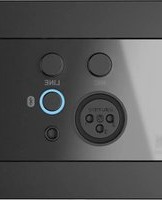
| Front Panel Indicators | Power, Input Source LEDs |
| Included Accessories | Power adapter, remote control, user manual |
| Warranty | 2 years |
| Cleaning & Maintenance | Dust with dry cloth; avoid solvents and water |
| Safety Compliance | CE, RoHS |
Frequently Asked Questions - APG20MK2 Audac
How do I connect the Audac APG20MK2 to my TV?
Connect the HDMI/VGA output of your source device to the converter's input. Then use an HDMI cable from the converter's output to your TV's HDMI port. Ensure power is supplied via the included 12V DC adapter.
What video resolutions does the APG20MK2 support?
The APG20MK2 supports resolutions up to 1920x1080 (1080p), including common resolutions like 720p and standard 4:3 formats. It automatically scales the output to match your display's native resolution.
Can I convert VGA to HDMI with this converter?
Yes, the APG20MK2 accepts VGA input and converts it to HDMI output. You can also convert HDMI to VGA, making it a bidirectional solution for mixed signals.
Does the APG20MK2 support audio extraction?
Yes, the converter offers audio extraction via stereo RCA outputs. Audio embedded in HDMI is extracted and sent to the analog outputs for connection to an external sound system.
How do I switch between input sources?
Use the INPUT button on the front panel or the included remote control to cycle through HDMI, VGA, and composite sources. The active source is shown on the front panel LED indicator.
Is the device suitable for 24/7 operation?
The APG20MK2 is built with a metal enclosure and fanless design, making it suitable for continuous duty in professional AV installations. It is designed to operate reliably over long periods.
How should I clean the device?
Disconnect the power before cleaning. Use a soft dry cloth to wipe the outer surfaces. Do not use liquid cleaners or abrasive materials as they may damage the housing.
Can I mount the converter in a rack?
Yes, the APG20MK2 includes rack-mount brackets for installation in a standard 19-inch equipment rack. It occupies a single rack unit (1U) and can be mounted with vertical clearance for proper ventilation.
What is the power supply requirement?
The device requires a 12V DC power supply (provided). The included adapter accepts 100-240V AC and delivers the necessary DC voltage, with a maximum power consumption of 5W.
How do I set up the converter for a presentation?
For a presentation, simply connect your laptop (HDMI or VGA) to the input and the projector or screen to the output. Select the correct input source via the front panel button or remote control. The converter will automatically scale and convert the signal to the desired display format.
User questions about APG20MK2 Audac
0 question about this device. Answer the ones you know or ask your own.
Ask a new question about this device
No questions yet. Be the first to ask one.
Download the instructions for your Audio/video converter in PDF format for free! Find your manual APG20MK2 - Audac and take your electronic device back in hand. On this page are published all the documents necessary for the use of your device. APG20MK2 by Audac.
USER MANUAL APG20MK2 Audac
Manual assistant
Powered by Anthropic
Waiting for your message
Product information
Brand : Audac
Model : APG20MK2
Category : Audio/video converter