FD3020 - Security Camera AVERMEDIA - Free user manual and instructions
Find the device manual for free FD3020 AVERMEDIA in PDF.


Pick your language and provide your email: we'll send you a specifically translated version.
| Product Type | Security Camera |
| Brand | AVerMedia |
| Model | FD3020 |
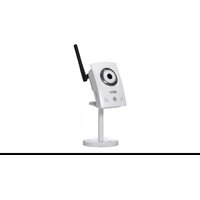
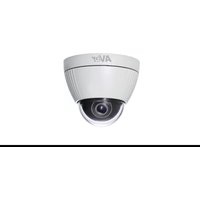
| Camera Type | Fixed Dome IP Camera |
| Image Sensor | 1/2.9\" 2MP CMOS |
| Resolution | 1920 x 1080 (Full HD) |
| Lens | 3.6 mm fixed lens |
| Night Vision | Infrared LEDs, 10 m range |
| Power Supply | DC 12V / PoE (IEEE 802.3af) |
| Dimensions | \u03a6 100 x 80 mm |
| Weight | 400 g |
| Network | 10/100 Mbps Ethernet |
| Video Compression | H.265 / H.264 |
| Storage | MicroSD slot (up to 128 GB) |
| Motion Detection | Yes, configurable |
| Weatherproof | IP65 rated |
| Operating Temperature | -30 \u00b0C to 60 \u00b0C |
| Maintenance | Clean with dry microfiber cloth |
| Security | HTTPS, user authentication |
| Repairability | Replacement parts available via AVerMedia |
Frequently Asked Questions - FD3020 AVERMEDIA
How do I reset the AVerMedia FD3020 camera to factory settings?
Press and hold the reset button on the camera for 10 seconds using a paperclip. The camera will reboot and restore all default settings including IP address and password.
How do I set up the camera for remote viewing?
Connect the camera to your router via Ethernet, assign an IP address using the AVerMedia utility, then configure port forwarding on your router. Use the AVerMedia mobile app to add the camera via QR code for remote access.
How do I enable motion detection?
Log into the camera web interface, go to Event Settings, select Motion Detection, enable it, and define the detection regions and sensitivity. Then set up notification by email or push alerts in the app.
What is the maximum resolution and frame rate?
The FD3020 supports Full HD 1920x1080 resolution at up to 30 frames per second for smooth video recording.
Can the camera be used outdoors?
Yes, the FD3020 has an IP65 weatherproof rating, designed to resist rain and dust. It operates in temperatures from -30°C to 60°C, making it suitable for outdoor installations.
How do I clean the camera lens?
Use a soft, dry microfiber cloth to gently wipe the lens dome. Avoid using harsh chemicals or abrasive materials, which can damage the protective coating.
How do I upgrade the firmware?
Download the latest firmware from the AVerMedia website, log into the camera web interface, go to System > Upgrade, and upload the firmware file. Do not power off during the upgrade.
Does the camera support wireless networking?
The FD3020 requires a wired Ethernet connection for data transmission. For wireless setup, it can be used with a Wi-Fi bridge or a powerline adapter, but has no built-in Wi-Fi.
What is the power consumption?
The camera consumes max 6W. It can be powered via 12V DC or PoE (Power over Ethernet) with a compatible injector or NVR.
How do I mount the camera?
Attach the mounting bracket to a flat surface, route the cables through the bracket, then secure the camera into place using the included screws. Adjust the dome to the desired viewing angle.
User questions about FD3020 AVERMEDIA
0 question about this device. Answer the ones you know or ask your own.
Ask a new question about this device
No questions yet. Be the first to ask one.
Download the instructions for your Security Camera in PDF format for free! Find your manual FD3020 - AVERMEDIA and take your electronic device back in hand. On this page are published all the documents necessary for the use of your device. FD3020 by AVERMEDIA.
USER MANUAL FD3020 AVERMEDIA
Manual assistant
Powered by Anthropic
Waiting for your message
Product information
Brand : AVERMEDIA
Model : FD3020
Category : Security Camera