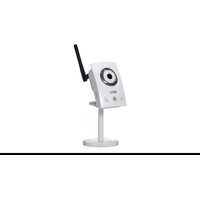
FV2028-T - Security Camera AVERMEDIA - Free user manual and instructions
Find the device manual for free FV2028-T AVERMEDIA in PDF.


Pick your language and provide your email: we'll send you a specifically translated version.
| Product Type | Security Camera |
| Model | FV2028-T |
| Brand | AVerMedia |
| Dimensions (WxHxD) | Approx. 120 x 80 x 80 mm |
| Weight | Approx. 500 g |
| Power Supply | DC 12V or PoE (Power over Ethernet) |
| Resolution | Up to 1920 x 1080p Full HD |
| Night Vision | Yes, IR LEDs up to 30m |
| Motion Detection | Yes, configurable |
| Field of View | Wide angle, up to 100° |
| Audio | Built-in microphone |
| Video Output | HDMI, USB, or Network (RTSP) |
| Connectivity | Ethernet (RJ45), Wi-Fi (optional) |
| Mounting | Ceiling or wall mount included |
| Ingress Protection | IP66 (weatherproof) |
| Operating Temperature | -10°C to 50°C |
| Storage | MicroSD card (up to 128GB) or NVR |
| Maintenance | Clean lens with soft, dry cloth |
| Safety | Suitable for indoor and outdoor use |
| Spare Parts | Not applicable (no user-serviceable parts) |
| General Information | Compatible with AVerMedia software and third-party NVRs |
Frequently Asked Questions - FV2028-T AVERMEDIA
How do I reset the FV2028-T to factory defaults?
Press and hold the reset button (located on the camera body) for 10 seconds using a paperclip. The camera will restart with default settings.
Can I use this camera without an NVR?
Yes, the camera supports direct connection to a PC via USB or HDMI for live viewing. However, for recording and advanced features, an NVR or microSD card is recommended.
What is the maximum resolution supported?
The FV2028-T supports up to 1920 x 1080p (Full HD) at 30fps.
Does it have night vision?
Yes, it has built-in IR LEDs with a range of up to 30 meters (98 feet), providing clear black-and-white video in complete darkness.
Can I view the camera remotely?
Yes, you can access the camera remotely via the AVerMedia software or third-party apps using RTSP/ONVIF protocols. Ensure the camera is connected to your network.
How do I adjust the camera angle?
The camera has a flexible mount that allows you to tilt and pan manually. Loosen the adjustment screws, position the camera, then tighten them.
Is the camera weatherproof?
Yes, it has an IP66 rating, meaning it is dust-tight and protected against heavy rain. Suitable for outdoor installation.
What is the power requirement?
The camera can be powered via DC 12V (2A adapter included) or PoE (Power over Ethernet) using a PoE switch or injector.
How do I set up motion detection?
Access the camera settings via the web interface or software. Enable motion detection and adjust sensitivity and detection zones as needed.
Can I record audio?
Yes, the camera has a built-in microphone. Audio can be recorded along with video if enabled in the settings. Note that audio recording may be subject to local privacy laws.
User questions about FV2028-T AVERMEDIA
0 question about this device. Answer the ones you know or ask your own.
Ask a new question about this device
No questions yet. Be the first to ask one.
Download the instructions for your Security Camera in PDF format for free! Find your manual FV2028-T - AVERMEDIA and take your electronic device back in hand. On this page are published all the documents necessary for the use of your device. FV2028-T by AVERMEDIA.
USER MANUAL FV2028-T AVERMEDIA
Manual assistant
Powered by Anthropic
Waiting for your message
Product information
Brand : AVERMEDIA
Model : FV2028-T
Category : Security Camera