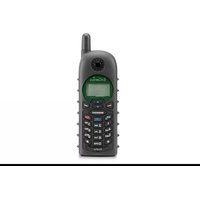
SN-358 PLUS - Telephone ENGENIUS - Free user manual and instructions
Find the device manual for free SN-358 PLUS ENGENIUS in PDF.


Pick your language and provide your email: we'll send you a specifically translated version.
| Product Type | Cordless Telephone |
| Brand | EnGenius |
| Model | SN-358 PLUS |
| Communication Protocol | DECT 6.0 |
| Display | Backlit LCD screen |
| Phonebook Capacity | Up to 100 contacts |
| Call Features | Caller ID, call waiting, redial |
| Audio | Handset and hands-free speakerphone |
| Number of Handsets | Supports up to 4 handsets |
| Communication Range | Up to 300 m outdoors, 50 m indoors |
| Battery Type | Nickel-Metal Hydride (NiMH) rechargeable |
| Talk Time | Up to 8 hours |
| Standby Time | Up to 100 hours |
| Power Supply | AC adapter 100-240V |
| Mounting Options | Desktop or wall mountable base |
| Maintenance | Clean with a dry, soft cloth |
| Safety | Complies with standard safety regulations |
| Spare Parts & Repairability | Replaceable battery and charger base |
| Included Accessories | Base unit, handset, battery, power adapter, telephone line cord |
Frequently Asked Questions - SN-358 PLUS ENGENIUS
How do I install the battery in my EnGenius SN-358 PLUS handset?
To install the battery, open the battery compartment on the back of the handset, insert the NiMH battery with the contacts aligned, and slide the cover back. Place the handset on the charging base to charge.
How can I increase the range of my cordless phone?
The range of your DECT phone depends on obstacles. Keep the base away from large metal objects, Wi-Fi routers, and other electronic devices. For maximum outdoor range, position the base near a clear window or high location.
How do I set up voicemail?
With the SN-358 PLUS, voicemail is typically provided by your telephone service provider. Contact your carrier to set up voicemail and follow the prompts. The phone supports a message waiting indicator if your line provides it.
Can I use multiple handsets with one base?
Yes, the SN-358 PLUS base station can support up to 4 handsets. You can register additional handsets to the base, allowing internal calls and intercom features.
How do I clean the phone safely?
Unplug the base and remove the handset from charging. Wipe surfaces with a soft, dry cloth. Do not use harsh chemicals, solvents, or water, as they may damage the device.
Why is my phone not charging?
Ensure the battery is inserted correctly and the charging contacts are clean. Check that the power adapter is plugged into a working outlet. If the battery is old, it may need replacement.
How do I store spare parts or replace the battery?
The SN-358 PLUS uses a replaceable NiMH battery. You can order new batteries from authorized EnGenius spare parts channels. The charger base is also a compatible spare part.
What is the talk and standby time?
With a fully charged battery, you can expect up to 8 hours of talk time and up to 100 hours of standby time. Times may vary with usage and signal strength.
Is the phone suitable for hearing aid users?
The handset is designed to be compatible with hearing aids and provides an amplification option in the audio settings. Check the user manual for the specific setting.
How do I register a new handset to the base?
On the base, press and hold the paging/registration button until the base beeps. Then on the handset, go to the registration menu and enter the base PIN (usually 0000). The handset will confirm once paired.
User questions about SN-358 PLUS ENGENIUS
0 question about this device. Answer the ones you know or ask your own.
Ask a new question about this device
No questions yet. Be the first to ask one.
Download the instructions for your Telephone in PDF format for free! Find your manual SN-358 PLUS - ENGENIUS and take your electronic device back in hand. On this page are published all the documents necessary for the use of your device. SN-358 PLUS by ENGENIUS.
USER MANUAL SN-358 PLUS ENGENIUS

Manual assistant
Powered by Anthropic
Waiting for your message
Product information
Brand : ENGENIUS
Model : SN-358 PLUS
Category : Telephone