4GB PD18 - USB Drive ADATA - Free user manual and instructions
Find the device manual for free 4GB PD18 ADATA in PDF.


Pick your language and provide your email: we'll send you a specifically translated version.
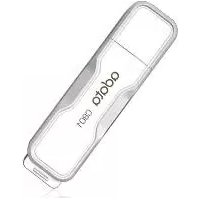
| Product Type | USB Flash Drive |
| Brand | ADATA |
| Model | PD18 |
| Storage Capacity | 4 GB |
| Interface | USB 2.0 (backward compatible) |
| Dimensions (L x W x H) | 55 x 18 x 10 mm |
| Weight | 9 g |
| Material | ABS Plastic |
| Color | Blue |
| Power Source | USB port |
| Operating Systems Supported | Windows, macOS, Linux |
| Plug and Play | Yes (no software needed) |
| Data Transfer Rates | Read up to 10 MB/s, write up to 5 MB/s |
| Shock Resistance | Yes (no moving parts) |
| Operating Temperature | 0°C to 50°C |
| Storage Temperature | -20°C to 70°C |
| Maintenance | Wipe connector with dry cloth if dirty |
| Safety | Do not disassemble; keep away from moisture |
| Disposal | Recycle in accordance with local regulations |
| Warranty | 1 year limited warranty |
Frequently Asked Questions - 4GB PD18 ADATA
What is the storage capacity of the ADATA PD18?
The ADATA PD18 has a storage capacity of 4 gigabytes (4 GB), ideal for storing documents, photos, and small media files.
Is the ADATA PD18 compatible with USB 3.0 ports?
Yes, the USB 2.0 interface is backward compatible and will function in any USB port, including USB 3.0 and USB-C via adapters.
Does the ADATA PD18 require any software installation?
No, the drive uses plug-and-play technology. On most systems it is recognized automatically as a removable disk, requiring no driver or software.
What data transfer speeds can I expect?
Actual speeds depend on the port and data type, but typical performance is up to 10 MB/s read and 5 MB/s write. Transferring large files may be slower.
Can I use the ADATA PD18 with both Windows and Mac?
Absolutely. It is compatible with Windows, macOS, and Linux as long as the system has a standard USB Mass Storage driver.
How do I care for the USB drive to ensure durability?
Keep the drive in a dry, clean environment, avoid dropping it, and cover the connector when not in use. Clean the metal contacts gently with a dry, soft cloth if needed.
The drive is not recognized. What should I do?
First, restart your computer. Then try another USB port or a different computer. Check the connector for dirt or damage. If problems persist, the drive may be defective.
Can I make a bootable USB drive from the ADATA PD18?
Yes, the drive can be formatted to create a bootable USB for installing operating systems, as long as your computer's BIOS supports booting from USB.
How long can data be retained on the drive?
In normal conditions, the flash memory can retain data for up to 10 years. However, frequent rewriting may shorten the lifespan.
What is the warranty period for the ADATA PD18?
The ADATA PD18 typically comes with a one-year limited warranty covering manufacturing defects. Please refer to the retailer for exact warranty terms.
User questions about 4GB PD18 ADATA
0 question about this device. Answer the ones you know or ask your own.
Ask a new question about this device
No questions yet. Be the first to ask one.
Download the instructions for your USB Drive in PDF format for free! Find your manual 4GB PD18 - ADATA and take your electronic device back in hand. On this page are published all the documents necessary for the use of your device. 4GB PD18 by ADATA.
USER MANUAL 4GB PD18 ADATA



Manual assistant
Powered by Anthropic
Waiting for your message
Product information
Brand : ADATA
Model : 4GB PD18
Category : USB Drive