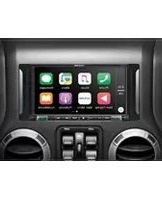
X902D-DUA - Car radio ALPINE - Free user manual and instructions
Find the device manual for free X902D-DUA ALPINE in PDF.


Pick your language and provide your email: we'll send you a specifically translated version.
| Product type | Multimedia car radio / double DIN receiver |
| Brand | Alpine |
| Model | X902D-DUA |
| Category | Car radio |
| Installation size | Double DIN (ISO 7736, 178 x 100 mm) |
| Display type | 7-inch TFT touchscreen with high resolution |
| Audio channels | 4 x 50 watts maximum output |
| Tuner bands | AM and FM with RDS |
| Media playback | DVD, CD, MP3, WMA, and compatible media |
| Connectivity | Bluetooth hands-free calling and audio streaming |
| Inputs | Rear USB and auxiliary (AUX) input |
| Outputs | Front, rear, and subwoofer preamp outputs |
| Dimensions (approx.) | 178 x 100 x 160 mm |
| Weight (approx.) | 2.4 kg |
| Operating voltage | 12 V DC negative ground |
| Current consumption | Approx. 10 A at maximum output |
| Operating temperature | -20°C to +60°C |
| Storage temperature | -30°C to +85°C |
| Included accessories | Mounting sleeve, trim ring, wiring harness, and manual |
| Maintenance and cleaning | Wipe the touchscreen and front panel with a soft dry microfibre cloth. |
| Safety advice | Disconnect the power before cleaning and keep the volume at safe driving levels. |
| Spare parts and repairability | Genuine replacement parts are available through Alpine authorized service centers. |
| General information | Designed for professional installation; refer to the user manual for complete setup. |
Frequently Asked Questions - X902D-DUA ALPINE
How do I reset the Alpine X902D-DUA?
Press and hold the reset button with a pointed object for 2 seconds. This restores factory default settings and clears any temporary errors. Wait for the unit to restart.
Can I connect my smartphone via Bluetooth?
Yes. Enable Bluetooth on your phone and set the radio to Bluetooth mode. Search for "X902D-DUA" and pair. After pairing, you can make hands-free calls and stream music. Use Alpine's pairing code if requested.
Which audio formats are supported?
The unit supports MP3, WMA, and AAC files on USB drives, as well as CD-DA, DVD-Video, and DVD-Audio. For maximum compatibility, keep file names short and avoid DRM-protected content.
How do I set the clock?
Go to the settings menu, select Clock, then adjust hours and minutes using the touchscreen arrows. Confirm with OK. Some units sync the clock automatically from RDS when available.
How can I adjust the sound settings?
From the main screen, open the Audio menu. You can adjust bass, treble, balance, and fader. Use the parametric EQ or preset equalizer curves for finer control. Changes are saved automatically.
Does the unit support a backup camera?
Yes, it has a dedicated rear-view camera input. Connect the camera to the yellow RCA input labeled CAMERA IN. When shifting to reverse, the unit automatically switches to the camera display.
How do I clean the touchscreen without damaging it?
Use a soft, dry microfibre cloth and gently wipe the screen in circular motions. Do not use water, glass cleaner, or abrasive materials. Always power off the unit before cleaning.
What is the maximum USB drive capacity supported?
The radio can read USB drives up to 64 GB formatted in FAT32 or exFAT. To avoid playback issues, avoid using a USB hub. Use a single partition and store your music files in the root directory if possible.
How do I update the firmware?
Download the latest firmware from Alpine's official support site. Copy the firmware file to a USB drive, insert it in the unit, then go to System Update in settings. Do not disconnect power during the update.
What should I do if there is no sound?
Check the volume level, mute status, and speaker wiring. Verify that the internal amplifier is not set to off. If using external amplification, check the preamp output connections and gain settings. When in doubt, contact an Alpine installer.
User questions about X902D-DUA ALPINE
0 question about this device. Answer the ones you know or ask your own.
Ask a new question about this device
No questions yet. Be the first to ask one.
Download the instructions for your Car radio in PDF format for free! Find your manual X902D-DUA - ALPINE and take your electronic device back in hand. On this page are published all the documents necessary for the use of your device. X902D-DUA by ALPINE.
USER MANUAL X902D-DUA ALPINE



Manual assistant
Powered by Anthropic
Waiting for your message
Product information
Brand : ALPINE
Model : X902D-DUA
Category : Car radio