OHMD102 - Gps CLARION - Free user manual and instructions
Find the device manual for free OHMD102 CLARION in PDF.


Pick your language and provide your email: we'll send you a specifically translated version.
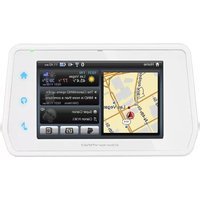
| Product Type | Portable GPS Navigator |
| Brand | Clarion |
| Model | OHMD102 |
| Display Size | 10.2 inches |
| Display Resolution | 1024 x 600 pixels |
| Touchscreen | Yes, capacitive multi-touch |
| GPS Receiver | Built-in high-sensitivity chipset |
| Preloaded Maps | Yes, lifetime free updates |
| Voice Guidance | Turn-by-turn with lane guidance |
| Points of Interest | Millions of POIs included |
| Connectivity | USB 2.0, microSD card slot |
| Audio | Built-in speaker, 3.5 mm headphone jack |
| Power Supply | 12 V DC car charger (cigarette lighter) |
| Battery | Rechargeable lithium-ion, approx. 3 hours |
| Dimensions | 262 x 172 x 42 mm |
| Weight | 1250 g |
| Mounting | Suction cup windshield mount and dashboard disk |
| Languages | English, French, Spanish, German, Italian |
| Safety | Do not obstruct driver's view while driving |
| Maintenance | Clean with a soft, dry cloth; avoid liquids |
| Replacement Parts | Available through authorized Clarion service centers |
Frequently Asked Questions - OHMD102 CLARION
How do I update the maps on my OHMD102?
Connect the device to your computer via USB, download the Clarion Map Updater software, and follow the on-screen instructions. Ensure you have a stable internet connection and sufficient storage space.
How do I mount the device in my car?
Attach the suction cup mount to the windshield or dashboard using the included disk. Adjust the angle so the screen is readable without obstructing your view. Press the mount firmly and lock the lever.
Why isn't my GPS getting a satellite signal?
Move the device to a clear view of the sky, away from tall buildings and metal objects. Enable the GPS function in the settings menu and wait a few minutes for the initial satellite acquisition.
Can I watch videos on the device?
Yes, the OHMD102 supports playback of MP4, AVI, and MKV formats via USB or microSD card. Use the Media Player application from the main menu.
How do I use the FM transmitter?
Go to Settings > FM Transmitter, select a clear FM frequency, and set your car stereo to the same frequency. The device will broadcast audio wirelessly.
How do I connect a backup camera?
Connect the included RCA video cable to the rear camera input on the back of the device. Enable the Rear View function in navigation settings, and the image will display automatically when the vehicle shifts to reverse.
How do I change the system language?
Go to Settings > Language, choose from the list of available languages, and confirm. The interface will update immediately.
How do I reset the device to factory settings?
Press and hold the Power button for 10 seconds, or use a paperclip to press the recessed Reset button. This will erase personal data and restore factory settings.
How do I charge the internal battery?
The internal lithium battery charges automatically when the device is connected to the included car charger. A full charge takes approximately 3 hours and provides about 2-3 hours of portable use.
How do I get the user manual in PDF?
You can download the free PDF manual from notice-facile.com by selecting your language and clicking the download button. Alternatively, visit the official Clarion support website.
User questions about OHMD102 CLARION
0 question about this device. Answer the ones you know or ask your own.
Ask a new question about this device
No questions yet. Be the first to ask one.
Download the instructions for your Gps in PDF format for free! Find your manual OHMD102 - CLARION and take your electronic device back in hand. On this page are published all the documents necessary for the use of your device. OHMD102 by CLARION.
USER MANUAL OHMD102 CLARION

Manual assistant
Powered by Anthropic
Waiting for your message
Product information
Brand : CLARION
Model : OHMD102
Category : Gps