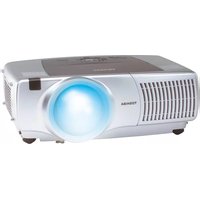
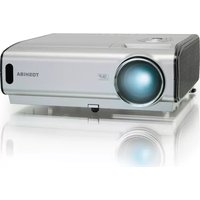
TDP-SC25 - Projector TOSHIBA - Free user manual and instructions
Find the device manual for free TDP-SC25 TOSHIBA in PDF.


Pick your language and provide your email: we'll send you a specifically translated version.
| Product Type | Video Projector |
| Brand | Toshiba |
| Model | TDP-SC25 |
| Display Technology | DLP (Digital Light Processing) |
| Native Resolution | SVGA (800 x 600) |
| Brightness | 2000 ANSI Lumens |
| Contrast Ratio | 2000:1 |
| Aspect Ratio | 4:3 |
| Light Source | 200 W P-VIP Lamp |
| Lamp Life | Up to 3000 Hours |
| Projection Size | 30 - 300 Inches |
| Projection Distance | 0.8 - 10.0 m |
| Connectivity | VGA, S-Video, Composite Video, Audio Input |
| Power Supply | AC 100 - 240 V, 50/60 Hz |
| Power Consumption | 350 W Operating, 5 W Standby |
| Dimensions (W x H x D) | 320 x 98 x 249 mm |
| Weight | 3.5 kg |
| Keystone Correction | Vertical +/- 20 Degrees |
| Maintenance | Clean air filter and lens regularly; replace lamp after 3000 hours |
| Safety | Avoid direct eye contact with lens; ensure adequate ventilation |
| Repairability | Lamp and filter are user-replaceable; other repairs by qualified service |
Frequently Asked Questions - TDP-SC25 TOSHIBA
How do I connect a computer to the Toshiba TDP-SC25 projector?
Use a VGA cable to connect the computer output to the projector's VGA input, then select the Computer source using the Source button. For audio, plug a 3.5 mm cable into the Audio Input.
How do I replace the projector lamp?
Turn off the projector and unplug it. Wait at least 30 minutes for the lamp to cool before opening the lamp cover. Remove the old lamp, insert a new 200 W P-VIP lamp, and secure the cover.
Why is the projected image blurry?
Check the focus ring on the lens and adjust it until the image is sharp. Also make sure the projector is at a proper distance from the screen and the lens is clean.
How can I fix a trapezoid image?
Use the keystone correction buttons on the projector or remote control to adjust vertical distortion up to +/- 20 degrees. Move the projector so it faces the screen straight on for best results.
What is the ideal projection distance?
The projector works at distances from 0.8 to 10.0 m. For a 100 inch screen, position it about 3.2 to 4.3 m away and adjust the zoom to fill the screen.
Can the projector be ceiling mounted?
Yes, the TDP-SC25 has mounting holes for a compatible ceiling mount. Use a certified projector mount and verify the ventilation openings remain unobstructed after installation.
How do I clean the air filter?
Switch off the projector and unplug it. Slide out the air filter frame, clean the filter with a vacuum cleaner or wash it with water, then let it dry completely before putting it back.
Which video sources are supported?
The projector supports VGA, S-Video, and composite video inputs. Audio can be connected through the dedicated stereo audio input jacks.
Why does the projector turn off during use?
Check for overheating. Remove any covers over the air vents, clean the air filter, and make sure the ambient temperature is below the recommended limit. If the problem persists, have a technician inspect the projector.
How should I store the TDP-SC25 when not in use?
Allow the projector to cool down completely, then put it in the carrying case. Store it in a dry, dust-free place and avoid exposing the lens to direct sunlight.
User questions about TDP-SC25 TOSHIBA
0 question about this device. Answer the ones you know or ask your own.
Ask a new question about this device
No questions yet. Be the first to ask one.
Download the instructions for your Projector in PDF format for free! Find your manual TDP-SC25 - TOSHIBA and take your electronic device back in hand. On this page are published all the documents necessary for the use of your device. TDP-SC25 by TOSHIBA.
USER MANUAL TDP-SC25 TOSHIBA

Manual assistant
Powered by Anthropic
Waiting for your message
Product information
Brand : TOSHIBA
Model : TDP-SC25
Category : Projector