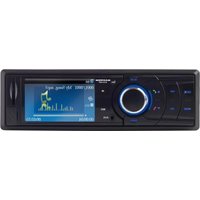
M-BTP50 - Docking Station Macrom - Free user manual and instructions
Find the device manual for free M-BTP50 Macrom in PDF.


Pick your language and provide your email: we'll send you a specifically translated version.
| Product Type | Docking Station |
| Brand | Macrom |
| Model | M-BTP50 |
| Compatibility | Universal with Bluetooth and auxiliary input |
| Bluetooth Version | 5.0 |
| Audio Output | Built-in speaker (3W RMS) |
| Auxiliary Input | 3.5mm stereo jack |
| Charging Output | USB port (5V, 1A) for connected devices |
| Power Supply | DC 5V, 1A via micro USB |
| Built-in Battery | Rechargeable lithium-ion, 1200 mAh |
| Dimensions (W x D x H) | 240 x 130 x 80 mm |
| Weight | 450 g |
| Controls | Touch buttons for volume, playback, and pairing |
| LED Indicators | Yes, for power and Bluetooth status |
| Care and Cleaning | Wipe with a soft, dry cloth; avoid abrasive cleaners |
| Safety Warnings | Do not expose to water or excessive heat; use only supplied cable |
| Spare Parts Availability | Official spare parts available from Macrom |
| Repairability | Serviceable by qualified technicians; not user-repairable |
| General Information | Designed for stable device support and enhanced audio |
Frequently Asked Questions - M-BTP50 Macrom
How do I pair my device with the M-BTP50?
Turn on the docking station and activate Bluetooth on your device. Search for M-BTP50 in the Bluetooth list and tap to pair. If prompted, enter the code 0000.
Can the M-BTP50 charge my phone while docked?
Yes, the docking station includes a USB charging port that delivers 5V/1A to charge your connected device. Simply plug your phone into the USB port while it is docked.
Is the M-BTP50 battery-powered?
Yes, it has a built-in rechargeable lithium-ion battery (1200 mAh) for portable use. It can be recharged using the supplied micro USB cable and an AC adapter.
What devices are compatible with this docking station?
The M-BTP50 is a universal docking station. It works with any device that supports Bluetooth or has a 3.5mm audio output, including smartphones, tablets, and media players.
How do I connect a non-Bluetooth device?
Use the 3.5mm auxiliary input to connect a device with a headphone jack. You may need a compatible audio cable (not included).
Can I play music while the station is charging?
Yes, the M-BTP50 can be used while charging. The built-in battery allows uninterrupted playback, and the power input provides steady operation.
What is the wireless range of the Bluetooth connection?
The Bluetooth 5.0 provides a stable connection up to 10 meters (33 feet) line-of-sight. Walls and obstacles may reduce this range.
How do I clean the docking station?
Use a soft, dry cloth to wipe the exterior. Do not use water, chemical cleaners, or abrasive materials, as they may damage the finish.
What should I do if the M-BTP50 doesn't turn on?
Check that the built-in battery is charged by connecting the micro USB cable to a power source. If it still doesn't turn on, try resetting the device by pressing and holding the power button for 10 seconds.
Where can I find replacement parts?
Replacement parts such as charging cables, batteries, or audio components can be requested from Macrom customer support or authorized service centers.
User questions about M-BTP50 Macrom
0 question about this device. Answer the ones you know or ask your own.
Ask a new question about this device
No questions yet. Be the first to ask one.
Download the instructions for your Docking Station in PDF format for free! Find your manual M-BTP50 - Macrom and take your electronic device back in hand. On this page are published all the documents necessary for the use of your device. M-BTP50 by Macrom.
USER MANUAL M-BTP50 Macrom

Manual assistant
Powered by Anthropic
Waiting for your message
Product information
Brand : Macrom
Model : M-BTP50
Category : Docking Station