2160-660 - Measuring instrument Daytronic - Free user manual and instructions
Find the device manual for free 2160-660 Daytronic in PDF.


Pick your language and provide your email: we'll send you a specifically translated version.
| Product Type | Measuring Instrument |
| Brand | Daytronic |
| Model | 2160-660 |
| Category | Measurement and Control Instrument |
| Measurement Functions | Signal conditioning, amplification, and display |
| Input Channels | 1 analog input channel |
| Display | 4-digit LED display |
| Output Interface | Analog 0-10V / 4-20mA and serial interface |
| Power Supply | 100-240V AC, 50/60Hz |
| Operating Temperature | 0°C to 50°C |
| Dimensions | 216 × 152 × 64 mm (approximately) |
| Weight | 1.2 kg (approximately) |
| Enclosure | Panel-mount metal housing |
| Calibration | Front-panel zero and span calibration |
| Maintenance | Periodic calibration and inspection of connectors |
| Cleaning | Wipe with a soft, dry cloth; do not use solvents |
| Safety Features | Overcurrent protection, earth grounding, CE compliant |
| Repairability | Modular design with replaceable circuit boards |
Frequently Asked Questions - 2160-660 Daytronic
What is the Daytronic 2160-660 used for?
The Daytronic 2160-660 is a precision measuring instrument designed for signal conditioning and data acquisition in industrial environments.
How do I power the instrument?
Connect the included power cord to the AC inlet on the rear panel. The unit accepts 100-240V AC at 50/60Hz automatically. Ensure the power switch is off before connecting.
How do I connect sensors to the 2160-660?
Sensors with analog outputs can be connected to the input terminal block. Refer to the wiring diagram in the manual for proper pinout and shielding.
How do I calibrate the instrument?
Perform calibration using the front-panel controls. Apply a known reference signal, then adjust the zero and span until the display reads correctly. Periodic calibration ensures measurement accuracy.
How do I set the zero point?
To set zero, disconnect the sensor bridge and press the zero button. The display should read 0. If not, adjust the zero potentiometer until the reading is stable at 0.
Can I connect the device to a computer?
Yes, the instrument includes an RS-232/RS-485 serial port. Use the appropriate communication cable and software (if provided) to acquire data on a PC.
What are the recommended maintenance procedures?
Regularly inspect all cabling and connectors for wear. Verify calibration every 6-12 months depending on usage. Keep the interior dust-free by covering unused openings.
How should I clean the device?
Wipe the exterior with a soft, dry cloth. For stubborn dirt, use a slightly damp cloth with water. Never use abrasive or solvent-based cleaners as they may damage the finish.
What safety precautions should I take?
Always operate the device with the earth ground connected. Do not open the housing while powered. Disconnect power before internal inspection. Use fuses of specified ratings for protection.
Where can I find spare parts or repair services?
For spare parts and repairs, contact an authorized Daytronic service center. Provide the model number and serial number. Many internal boards are field-replaceable to minimize downtime.
User questions about 2160-660 Daytronic
0 question about this device. Answer the ones you know or ask your own.
Ask a new question about this device
No questions yet. Be the first to ask one.
Download the instructions for your Measuring instrument in PDF format for free! Find your manual 2160-660 - Daytronic and take your electronic device back in hand. On this page are published all the documents necessary for the use of your device. 2160-660 by Daytronic.
USER MANUAL 2160-660 Daytronic

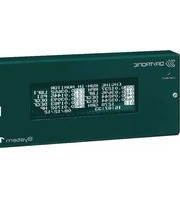

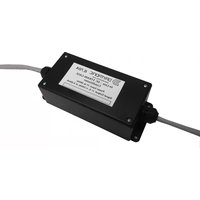
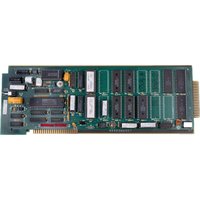
Manual assistant
Powered by Anthropic
Waiting for your message
Product information
Brand : Daytronic
Model : 2160-660
Category : Measuring instrument