Chic Mini - Smartphone CellAllure - Free user manual and instructions
Find the device manual for free Chic Mini CellAllure in PDF.


Pick your language and provide your email: we'll send you a specifically translated version.
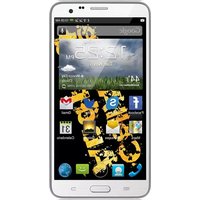
| Product Type | Smartphone |
| Brand | CellAllure |
| Model | Chic Mini |
| Dimensions | Approx. 126.5 x 65.3 x 8.9 mm (4.98 x 2.57 x 0.35 in) |
| Weight | Approx. 120 g (4.23 oz) |
| Display | 4.5-inch IPS LCD capacitive touchscreen |
| Resolution | 720 x 1440 pixels, 18:9 aspect ratio |
| Operating System | Android 10 (or latest available) |
| Processor | Quad-core 1.3 GHz Cortex-A53 |
| RAM | 2 GB |
| Storage | 16 GB internal, expandable via microSD up to 128 GB |
| Rear Camera | 8 MP with autofocus and LED flash |
| Front Camera | 5 MP |
| Battery Capacity | 2000 mAh non-removable Li-Po battery |
| Charging Port | USB Type-C |
| Audio Jack | 3.5 mm headphone jack |
| Connectivity | Wi-Fi 802.11 b/g/n, Bluetooth 4.2, GPS, 4G LTE |
| SIM | Dual SIM (Nano-SIM, dual stand-by) |
| Sensors | Accelerometer, proximity, ambient light |
| Security Features | Face unlock, fingerprint sensor (side-mounted) |
| Power Adapter | 5V/1A charger (included) |
| Maintenance & Cleaning | Wipe with soft, dry microfiber cloth; avoid moisture and harsh chemicals |
| Safety Warnings | Do not dismantle, expose to heat or water; use only approved accessories |
| Spare Parts & Repairability | Replacement parts available via authorized service center; battery replaceable by professional |
| General Information | Designed for compact one-hand use; supports multimedia and daily apps |
Frequently Asked Questions - Chic Mini CellAllure
How do I insert a SIM card into the Chic Mini?
To insert a SIM card, locate the SIM tray on the side of the device. Use the provided ejector pin to gently push into the small hole, eject the tray, place the Nano-SIM card into the slot with the gold contacts facing down, and reinsert the tray firmly.
How should I charge the battery for the first time?
Connect the USB Type-C cable and a 5V/1A adapter to the phone. The battery is calibrated at the factory, but it is recommended to use the device until the battery drops below 20% before charging. A full charge takes approximately 2 hours.
Can I expand the storage on the Chic Mini?
Yes, the Chic Mini supports microSD cards up to 128 GB. Insert a microSD card into the second SIM slot or the dedicated memory card slot, depending on the model config. Go to Settings > Storage to format and manage the card.
How do I take a screenshot on this smartphone?
Press and hold the Power and Volume Down buttons simultaneously for about 2 seconds. The screenshot is saved in Gallery. You can also enable palm swipe gesture in Settings > Gestures if supported.
What should I do if the phone becomes unresponsive?
Try a forced restart by pressing and holding the Power button for 10 to 15 seconds. If the issue persists, boot into Recovery mode and perform a factory reset (backup data first). This restores the device to its original state.
How do I connect to a Wi-Fi network?
Go to Settings > Wi-Fi and toggle it on. Select your network from the list, enter the password, and tap Connect. The device will automatically reconnect to known networks in the future.
Is the Chic Mini waterproof?
No, the Chic Mini is not waterproof. It has no official IP rating. Keep it away from water, rain, and excessive moisture to prevent internal damage.
How can I extend battery life?
Enable Battery Saver from Settings > Battery, lower the screen brightness, and turn off unused services like GPS or Bluetooth. Close background apps and use Dark Mode if available to reduce power consumption.
Where can I find the IMEI number?
Dial *#06# on the keypad to display the IMEI. You can also find it on the label under the removable back cover (if applicable) or on the original packaging. Keep it handy for warranty support.
What kind of maintenance does the device require?
Regularly clean the screen and body with a soft, dry microfiber cloth. Avoid exposing the phone to extreme temperatures. Check for software updates in Settings > System > About phone to keep performance and security up to date.
User questions about Chic Mini CellAllure
0 question about this device. Answer the ones you know or ask your own.
Ask a new question about this device
No questions yet. Be the first to ask one.
Download the instructions for your Smartphone in PDF format for free! Find your manual Chic Mini - CellAllure and take your electronic device back in hand. On this page are published all the documents necessary for the use of your device. Chic Mini by CellAllure.
USER MANUAL Chic Mini CellAllure


Manual assistant
Powered by Anthropic
Waiting for your message
Product information
Brand : CellAllure
Model : Chic Mini
Category : Smartphone