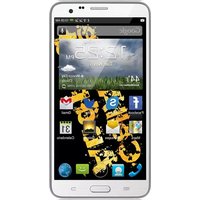
Amazing II - Smartphone CellAllure - Free user manual and instructions
Find the device manual for free Amazing II CellAllure in PDF.


Pick your language and provide your email: we'll send you a specifically translated version.
| Type of product | Smartphone |
| Brand | CellAllure |
| Model | Amazing II |
| Display size | 5.5 inches |
| Screen resolution | 1280 x 720 pixels |
| Operating system | Android 10 |
| Processor | Quad-core 1.5 GHz |
| RAM | 2 GB |
| Internal storage | 16 GB |
| MicroSD support | Up to 128 GB |
| Rear camera | 8 MP |
| Front camera | 5 MP |
| Battery capacity | 2500 mAh |
| Charging connector | Micro-USB |
| Battery type | Rechargeable lithium-ion |
| Connectivity | Wi-Fi, Bluetooth, GPS |
| SIM support | Dual Nano-SIM |
| Dimensions | 150 x 72 x 8.5 mm |
| Weight | 165 g |
| Safety advice | Use only approved chargers and accessories |
| Maintenance | Keep device away from moisture and extreme heat |
| Spare parts | Battery and SIM tray can be replaced |
Frequently Asked Questions - Amazing II CellAllure
How do I insert the SIM card?
Use the SIM ejector tool to open the tray on the side of the phone. Place the Nano-SIM cards and slide the tray back in.
How can I extend battery life?
Lower screen brightness, disable unused connections like Bluetooth and GPS, and close background apps.
Does the Amazing II support expandable storage?
Yes, it has a MicroSD slot that supports cards up to 128 GB for storing photos and videos.
How do I take a screenshot?
Press and hold the power button and volume down button simultaneously for 2 seconds.
What should I do if the device freezes?
Press and hold the power button for about 10 seconds to force restart the phone.
How do I clean the screen?
Use a soft, dry microfiber cloth. Avoid chemical cleaners and abrasive materials.
Can I use the phone while charging?
Yes, but it may generate extra heat. For optimal battery health, unplug heavy usage.
How do I reset the device to factory settings?
Go to Settings > System > Reset options and choose Erase all data. Back up first.
What are the safety precautions?
Do not expose the phone to water or extreme heat. Use only authorized chargers and cables.
Where can I download the full manual?
Visit notice-facile.com and search for CellAllure Amazing II to download the PDF guide.
User questions about Amazing II CellAllure
0 question about this device. Answer the ones you know or ask your own.
Ask a new question about this device
No questions yet. Be the first to ask one.
Download the instructions for your Smartphone in PDF format for free! Find your manual Amazing II - CellAllure and take your electronic device back in hand. On this page are published all the documents necessary for the use of your device. Amazing II by CellAllure.
USER MANUAL Amazing II CellAllure


Manual assistant
Powered by Anthropic
Waiting for your message
Product information
Brand : CellAllure
Model : Amazing II
Category : Smartphone