
VPCEH31FD - Laptop SONY - Free user manual and instructions
Find the device manual for free VPCEH31FD SONY in PDF.


| Product Type | Laptop |
| Brand | Sony |
| Model | VPCEH31FD |
| Display | 15.6 inch HD LED-backlit (1366 x 768) |
| Processor | Intel Core i3 (2nd generation, 'Sandy Bridge') |
| Memory | 4 GB DDR3-1333 (2 slots, max 8 GB) |
| Storage | 500 GB SATA HDD (5400 rpm) |
| Graphics | Intel HD Graphics 3000 (integrated) |
| Optical Drive | DVD SuperMulti (reads/writes CD/DVD) |
| Connectivity | Wi-Fi 802.11 b/g/n, Bluetooth 3.0 |
| Ports | 3x USB 2.0, HDMI, VGA, RJ-45 Ethernet, audio combo |
| Operating System | Windows 7 Home Premium (64-bit, upgradeable) |
| Battery | 6-cell lithium-ion (up to 4 hours) |
| Power Supply | AC adapter (19.5 V, 3.3 A, 65 W) |
| Dimensions | approximately 380 x 253 x 34 mm (width x depth x height) |
| Weight | about 2.5 kg (5.5 lbs) |
| Cleaning | Wipe the case and screen with a dry soft cloth; avoid abrasive cleaners. |
| Security | Do not block ventilation, use certified AC adapter only. |
| Repairability | Bottom panel opens for user-replaceable RAM and HDD. |
| General Info | Free user manual and instructions are available online. |
Frequently Asked Questions - VPCEH31FD SONY
User questions about VPCEH31FD SONY
0 question about this device. Answer the ones you know or ask your own.
Ask a new question about this device
Download the instructions for your Laptop in PDF format for free! Find your manual VPCEH31FD - SONY and take your electronic device back in hand. On this page are published all the documents necessary for the use of your device. VPCEH31FD by SONY.
USER MANUAL VPCEH31FD SONY
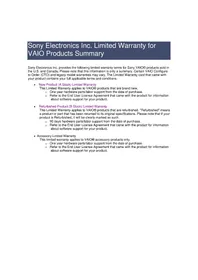
Sony Electronics Inc. Limited Warranty for VAIO Products Summary
Sony Electronics Inc. provides the following limited warranty terms for Sony VAIO® products sold in the U.S. and Canada. Please note that this information is only a summary. Certain VAIO Configure to Order (CTO) and legacy model warranties may vary. The Limited Warranty card that came with your product contains your full applicable terms and conditions.
• New Product (A Stock) Limited Warranty
This Limited Warranty applies to VAIO® products that are brand new.
- One year hardware parts/labor support from the date of purchase.
○ Refer to the End User License Agreement that came with the product for information about software support for your product.
• Refurbished Product (B Stock) Limited Warranty
This Limited Warranty applies to VAIO® products that are refurbished. "Refurbished" means a product or part that has been returned to its original specifications. Please note that if your product is Refurbished, it will be clearly marked as such.
- 90 days hardware parts/labor support from the date of purchase.
○ Refer to the End User License Agreement that came with the product for information about software support for your product.
- Accessory Limited Warranty
This limited warranty applies to VAIO® accessory products only.
- One year hardware parts/labor support from the date of purchase.
○ Refer to the End User License Agreement that came with the product for information about software support for your product.
Brand : SONY
Model : VPCEH31FD
Category : Laptop