LC-90 - Printer STAR - Free user manual and instructions
Find the device manual for free LC-90 STAR in PDF.


Pick your language and provide your email: we'll send you a specifically translated version.
| Product Type | Dot matrix printer |
| Brand | Star |
| Model | LC-90 |
| Print Technology | 9-pin impact dot matrix |
| Print Speed | Up to 120 characters per second (cps) |
| Print Resolution | 240 x 144 dpi near letter quality |
| Print Width | Standard 80 columns |
| Paper Type | Continuous fanfold, single sheets, multi-part forms |
| Paper Size | Up to A4 and letter size |
| Interfaces | Centronics parallel (IEEE 1284), optional serial |
| Emulation | Epson ESC/P, IBM ProPrinter |
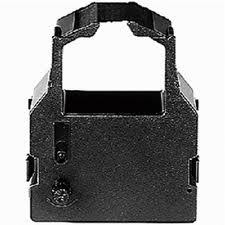
| Ribbon Cartridge | Replaceable fabric ribbon cartridge |
| Dimensions (W x D x H) | Approx. 430 x 250 x 130 mm |
| Weight | Approx. 5.0 kg |
| Power Supply | 220-240V AC, 50/60 Hz |
| Main Functions | Economical text and graphic printing, multi-layer forms, draft and near letter quality modes |
| Maintenance and Cleaning | Periodic print head cleaning and platen wipe; replace ribbon when print becomes faint |
| Safety Features | No exposed high-voltage parts; proper ventilation required; avoid moisture |
| Spare Parts and Repairability | Print heads, ribbons, and roller kits available; serviceable by qualified technicians |
| Documentation | Free user manual in PDF (107 pages, English) |
Frequently Asked Questions - LC-90 STAR
How do I install the printer driver on my computer?
Connect the printer to your PC using a Centronics parallel cable. Then install the driver from the included floppy disk or download a compatible driver from the Star website. The LC-90 generally works with ESC/P emulation, so generic Epson LQ drivers may also function.
How do I change the ink ribbon?
Power off the printer and open the front cover. Remove the old ribbon cartridge by gently pulling it upward. Align the new cartridge over the print head, then press down until it clicks. Ensure the ribbon is positioned between the print head and platen, then close the cover.
How do I clean the print head?
Turn off the printer and let the print head cool. Gently remove any dust or ink residue using a lint-free cloth slightly moistened with isopropyl alcohol. Avoid touching the pins with bare hands. Reassemble and run a self-test to verify cleanliness.
What types of paper are compatible?
The LC-90 supports continuous fanfold paper, single sheets, and multi-part forms (up to carbonless copies). Use paper widths from 3 to 10 inches, with standard A4 or letter being most common.
How do I connect the printer to my computer?
Use a parallel interface cable (Centronics 36-pin) to connect the printer to your computer's parallel port. For modern systems without a parallel port, use a USB-to-parallel adapter. Configure the printer settings in your OS to use the correct printer port.
How do I resolve paper jams?
Turn off the printer and carefully pull the paper backward out of the paper path. If the paper tears, open the rear access and remove all fragments. Check the paper guide alignment and ensure the paper is not misfed. Restart the printer and run a self-test.
How do I set the print quality?
Use the printer's control panel switches to select Draft, NLQ (Near Letter Quality), or Graphics mode. Alternatively, send commands from your software. The LC-90 defaults to draft for speed and NLQ for better readability.
How do I ensure the printer is safe to use?
Place the printer on a stable, flat surface with good ventilation. Plug it into a properly grounded power outlet. Do not operate near water or in humid conditions. Unplug before cleaning or servicing. Keep fingers and loose garments away from rollers and print head.
Where can I get replacement parts like a new ribbon or print head?
Genuine Star replacement ribbons are widely available online and at office supply stores. The print head can be replaced but requires some technical skill; contact an authorized Star service center for repair or parts ordering. Refer to the manual's spare parts list.
How do I download the full user manual in PDF?
Visit the manual library at notice-facile.com and search for LC-90 Star. You can download the 107-page English manual in PDF format for free. Alternatively, select your preferred language and provide your email to receive a translated version.
User questions about LC-90 STAR
0 question about this device. Answer the ones you know or ask your own.
Ask a new question about this device
No questions yet. Be the first to ask one.
Download the instructions for your Printer in PDF format for free! Find your manual LC-90 - STAR and take your electronic device back in hand. On this page are published all the documents necessary for the use of your device. LC-90 by STAR.
USER MANUAL LC-90 STAR
Manual assistant
Powered by Anthropic
Waiting for your message
Product information
Brand : STAR
Model : LC-90
Category : Printer