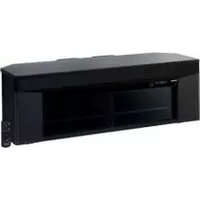
SC-BT303 - Home Theater System PANASONIC - Free user manual and instructions
Find the device manual for free SC-BT303 PANASONIC in PDF.


Pick your language and provide your email: we'll send you a specifically translated version.
| Product Type | Home Theater System with Blu-ray Disc player |
| Brand | Panasonic |
| Model | SC-BT303 |
| Disc Compatibility | Blu-ray Disc, DVD, CD |
| Audio Channels | 5.1 channel surround sound |
| Total Output Power | 1000 watts RMS (approx.) |
| Main Unit Dimensions (W x H x D) | 430 x 58 x 310 mm (approx.) |
| Main Unit Weight | 3.5 kg (approx.) |
| Speaker Configuration | 5 satellites plus powered subwoofer |
| Connectivity | HDMI output, component video, optical audio input, USB port |
| Audio Decoding | Dolby Digital, DTS, Dolby Pro Logic II |
| Video Upscaling | 1080p upscaling for DVD playback |
| Power Supply | AC 110-240V, 50/60 Hz |
| Power Consumption | 150 W (approx.) |
| Care and Maintenance | Wipe with a soft, dry cloth; avoid solvents |
| Safety Precautions | Do not expose to moisture or heat; use only the supplied power cord |
| Spare Parts and Repairability | Genuine parts available through authorized Panasonic service centers |
| Included Accessories | Remote control, batteries, user manual, quick start guide |
| General Information | Free downloadable manual in PDF format |
Frequently Asked Questions - SC-BT303 PANASONIC
How do I connect the SC-BT303 to my TV?
Use an HDMI cable to connect the HDMI output of the home theater system to the HDMI input on your TV for both video and audio. Alternatively, you can use component video for HD video and a separate audio connection.
Can I play Blu-ray discs on the SC-BT303?
Yes, the SC-BT303 supports Blu-ray Disc playback, as well as DVD and CD. Insert the disc with the label facing up and press play on the remote.
How do I set up the 5.1 surround sound speakers?
Place the front left and right speakers, center speaker, surround speakers, and subwoofer according to the layout in the manual. Connect each speaker to its corresponding colored terminal on the back of the main unit.
What audio formats are supported?
The system supports Dolby Digital, DTS, and Dolby Pro Logic II for enhanced surround sound. It also plays MP3 and WMA files from discs or USB.
Can I connect a USB device to play media?
Yes, there is a USB port on the front panel. Connect a USB flash drive to play compatible music, video, and photo files directly.
How do I clean the Blu-ray lens?
Do not attempt to clean the lens yourself. Use a lens cleaning disc designed for Blu-ray players, or contact an authorized service center if playback issues persist.
What should I do if the system does not power on?
Check that the AC power cord is securely plugged into a working outlet and the power switch is on. If it still does not respond, try unplugging for a few minutes and plugging back in. If the problem continues, consult a service technician.
Is the remote control included?
Yes, a remote control with batteries is included in the package. It allows full control of playback, volume, and system settings.
Can I upgrade the firmware?
Firmware updates may be available on the Panasonic support website. Check the current version in the system setup menu and download the update to a USB drive if a newer version exists.
Where can I find the user manual?
The user manual is available for free in PDF format on this page. You can download it to your computer or mobile device for easy reference.
User questions about SC-BT303 PANASONIC
0 question about this device. Answer the ones you know or ask your own.
Ask a new question about this device
No questions yet. Be the first to ask one.
Download the instructions for your Home Theater System in PDF format for free! Find your manual SC-BT303 - PANASONIC and take your electronic device back in hand. On this page are published all the documents necessary for the use of your device. SC-BT303 by PANASONIC.
USER MANUAL SC-BT303 PANASONIC


Manual assistant
Powered by Anthropic
Waiting for your message
Product information
Brand : PANASONIC
Model : SC-BT303
Category : Home Theater System