BV9350 - Car Radio BOSS - Free user manual and instructions
Find the device manual for free BV9350 BOSS in PDF.


Pick your language and provide your email: we'll send you a specifically translated version.
| Product Type | Car Radio |
| Brand | Boss |
| Model | BV9350 |
| Chassis Size | Double DIN |
| Dimensions (W x H x D) | 7.0" x 4.0" x 6.5" (178 x 102 x 165 mm) |
| Weight | 3.1 lbs (1.4 kg) |
| Power Supply | 12V DC (car battery) |
| Amplifier | Built-in 4-channel amplifier |
| Maximum Power Output | 4 x 50 Watts |
| Display | 6.2-inch HD touchscreen |
| Bluetooth | Hands-free calling and audio streaming |
| USB Port | Front USB for MP3/WMA playback |
| SD Card Slot | For media playback |
| Aux Input | 3.5mm front AUX input |
| DVD Player | Built-in DVD/DVD-R/CD player |
| Radio Tuner | AM/FM with 30 presets |
| Remote Control | Wireless remote included |
| Rear Camera Input | Compatible with rear view camera |
| Cleaning | Use soft dry cloth; avoid harsh chemicals |
| Repairability | Internal components not user-serviceable; contact certified technician |
| Operating Temperature | -20°C to +60°C |
Frequently Asked Questions - BV9350 BOSS
How do I pair my phone via Bluetooth?
Turn on Bluetooth on your phone and enable discoverable mode. Press the Bluetooth button on the unit or go to the Bluetooth menu, then search for 'BOSS BV9350' and select it. If prompted, enter 0000 as the PIN. After pairing, you can make hands-free calls and stream audio.
How do I reset the unit to factory settings?
To reset the BOSS BV9350, press the Reset button on the front panel using a pointed object, or disconnect the car battery for 30 seconds. This clears all settings and returns the unit to default.
Why is there no sound coming from my speakers?
Check that the mute function is off and the volume is set to an audible level. Verify that speaker wires are securely connected and the fader/balance settings are centered. Ensure the amplifier is on if the unit is connected to an external amp.
Can I connect a rear view camera?
Yes, the BV9350 has a dedicated rear camera input. Connect the camera's RCA plug to the camera input on the rear of the unit. During installation, connect the camera's power to a 12V source. When you shift into reverse, the unit will automatically display the camera image.
How do I set the clock?
Press the DISP or Clock button to enter clock adjustment mode. Use the volume knob or arrow buttons to adjust hours, then press again to adjust minutes. Some models require pressing and holding the button.
What audio formats are supported via USB?
The USB port supports MP3, WMA, and WAV files. For video files, ensure they are in MP4 or DVD-compatible formats if playing from USB or SD.
How do I adjust EQ and sound settings?
Go to the sound settings menu to adjust Bass, Treble, Balance, and Fader. You can also choose preset EQs like Rock, Pop, Jazz, or Flat.
Is the handbrake wiring required for DVD playback?
For safety, the parking brake wire must be connected to the handbrake switch to allow video playback while driving. This is a mandatory safety feature—if you bypass it, video will not play on the main screen.
How do I clean the touchscreen?
Use a microfiber cloth lightly dampened with water or a screen cleaner. Do not spray liquid directly on the screen; wipe gently in circles. Avoid abrasive cleaners or paper towels.
What is the warranty period?
Boss provides a limited 1-year warranty for the BV9350. Keep your receipt for service requests. You may also contact Boss support for troubleshooting.
User questions about BV9350 BOSS
0 question about this device. Answer the ones you know or ask your own.
Ask a new question about this device
No questions yet. Be the first to ask one.
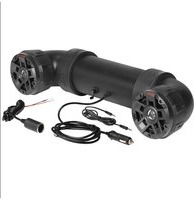
Download the instructions for your Car Radio in PDF format for free! Find your manual BV9350 - BOSS and take your electronic device back in hand. On this page are published all the documents necessary for the use of your device. BV9350 by BOSS.
USER MANUAL BV9350 BOSS
Manual assistant
Powered by Anthropic
Waiting for your message
Product information
Brand : BOSS
Model : BV9350
Category : Car Radio