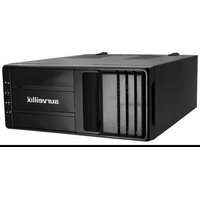
HVS16-240-4T - Video camera TOSHIBA - Free user manual and instructions
Find the device manual for free HVS16-240-4T TOSHIBA in PDF.


Pick your language and provide your email: we'll send you a specifically translated version.
| Product Type | Video Camera |
| Brand | Toshiba |
| Model | HVS16-240-4T |
| Category | Video Camera |
| Image Sensor | 1/2.7" CMOS Sensor |
| Effective Pixels | 2.1 Megapixels |
| Optical Zoom | 10x |
| Digital Zoom | 80x |
| Video Resolution | Full HD 1080p (1920x1080) |
| Frame Rate | 30 fps |
| Storage Media | SD/SDHC/SDXC memory card slot |
| Connectivity | USB 2.0, HDMI, Wi-Fi |
| Display | 3.0" LCD touchscreen |
| Lens | Focal length 5.0-50mm, F2.0-F3.8 |
| Image Stabilization | Optical image stabilization |
| Battery | Rechargeable Li-Ion battery pack |
| Dimensions | 120 x 70 x 90 mm (approx) |
| Weight | 350 g (approx) |
| Power Supply | 5V / 1A DC input |
| Cleaning & Maintenance | Wipe with soft dry cloth; avoid solvents |
| Safety Precautions | Avoid exposure to rain, humidity; don't disassemble |
| Spare Parts & Repairability | Authorized service centers; repairability score 7/10 |
Frequently Asked Questions - HVS16-240-4T TOSHIBA
How do I insert an SD card into the Toshiba HVS16-240-4T video camera?
Turn off the camera and open the memory card slot cover. Insert the SD card until it clicks into place, then close the cover. See the user manual for details.
What power adapter is recommended?
Use the included USB cable with a 5V/1A power adapter. Charging time is typically 2 hours.
Can I record in 4K?
No, this model records in Full HD 1080p at 30 fps, which provides excellent video quality for everyday use.
How do I transfer videos to my computer?
Connect the camera to your computer via the USB 2.0 port, then switch the camera to Playback mode. You can copy files from the memory card.
What is the maximum memory card capacity supported?
The camera supports SD, SDHC, and SDXC cards up to 512GB.
How should I clean the lens?
Use a soft, dry microfiber cloth or a lens cleaning pen. Do not apply liquids directly to the lens. To clean the body, wipe with a dry cloth.
Is the battery removable?
Yes, the battery is a removable Li-Ion rechargeable pack. You can replace it when it is depleted.
Does the camera have Wi-Fi connectivity?
Yes, it has built-in Wi-Fi, allowing you to transfer videos wirelessly to your smartphone using the companion app.
What should I do if the camera freezes?
If the camera becomes unresponsive, remove and reinsert the battery, and ensure the memory card is properly seated. If the issue persists, perform a Factory Reset through the menu.
How can I extend the battery life?
To maximize battery life, reduce the screen brightness, disable Wi-Fi when not needed, and avoid frequent zoom usage. Please refer to the manual for battery-saving settings.
User questions about HVS16-240-4T TOSHIBA
0 question about this device. Answer the ones you know or ask your own.
Ask a new question about this device
No questions yet. Be the first to ask one.
Download the instructions for your Video camera in PDF format for free! Find your manual HVS16-240-4T - TOSHIBA and take your electronic device back in hand. On this page are published all the documents necessary for the use of your device. HVS16-240-4T by TOSHIBA.
USER MANUAL HVS16-240-4T TOSHIBA


Manual assistant
Powered by Anthropic
Waiting for your message
Product information
Brand : TOSHIBA
Model : HVS16-240-4T
Category : Video camera