DES-1218R - Network switch D-LINK - Free user manual and instructions
Find the device manual for free DES-1218R D-LINK in PDF.


Pick your language and provide your email: we'll send you a specifically translated version.
| Product Type | Network Switch |
| Brand | D-Link |
| Model | DES-1218R |
| Ports | 16 x 10/100 Mbps LAN ports + 2 x combo 10/100/1000 Mbps/SFP ports |
| Switching Capacity | 7.2 Gbps |
| MAC Address Table Size | 8,000 entries |
| Power Supply | Internal power supply, 100-240V AC, 50-60Hz |
| Power Consumption | Approximately 10W |
| Dimensions (W x D x H) | 441 x 208 x 44 mm |
| Weight | 1.5 kg |
| Mounting | 19-inch rack-mount, 1U height |
| Cooling | Fanless passive cooling |
| Operating Temperature | 0°C to 40°C |
| Storage Temperature | -10°C to 70°C |
| Humidity | 10% to 90% non-condensing |
| Switching Technology | Store-and-forward |
| Features | Auto-negotiation, auto-MDIX, IEEE 802.3x flow control |
| LED Indicators | Power, link/activity per port |
| Certifications | FCC, CE, RoHS |
| Package Contents | Switch, power cord, rack-mount kit, user manual |
| Maintenance & Cleaning | Wipe with a dry cloth; avoid liquids and solvents |
| Safety | Operate in a well-ventilated area; keep away from water and heat sources |
| Spare Parts & Repair | Contact D-Link support for replacements; serviced by qualified personnel |
Frequently Asked Questions - DES-1218R D-LINK
What is the D-Link DES-1218R?
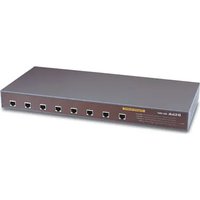
The D-Link DES-1218R is a Fast Ethernet network switch that provides 18 ports for connecting devices in a small office or home network. It includes 16 10/100 Mbps ports and 2 combo Gigabit/SFP ports.
How do I connect the switch to my network?
Connect the power cord, then use Ethernet cables to link your devices (computers, printers, router) to any port. The switch supports Auto-MDIX, so you can use straight-through or crossover cables. For an internet uplink, connect the router to any port.
Can I use the combo Gigabit ports?
Yes, each combo port accepts either a 10/100/1000 RJ-45 connection or a 1000BASE-SX/LX SFP fiber module, but only one type at a time. This allows flexible integration with fiber backbone connections.
Does the DES-1218R support PoE (Power over Ethernet)?
No, the DES-1218R does not support PoE. It transmits data only; all connected devices must have their own power source.
How can I expand the number of ports beyond 18?
You can daisy-chain multiple switches by connecting a standard twisted-pair Ethernet cable from a port on one switch to a port on another. This extends your network without additional configuration.
What is the maximum cable length for connections?
For twisted-pair Ethernet, the maximum recommended cable length is 100 meters (328 feet) at 10/100/1000 Mbps. For longer distances, use SFP fiber modules on the combo ports.
How do I reset the switch to factory defaults?
The DES-1218R is an unmanaged switch with no configuration interface, so it works immediately without any setup. There is no reset button or process required. Simply restart it by powering off and on.
What should I do if the LEDs do not light up after powering the switch?
First, verify that the power cord is securely connected to the switch and to a functioning wall outlet. Check the power switch if present. If the power LED remains off, the power supply may be faulty; contact D-Link technical support.
Where can I download the full user manual for the DES-1218R?
You can download the DES-1218R manual in PDF format for free from the official D-Link support website or from notice-facile.com. It provides installation, troubleshooting, and safety information.
What is the warranty coverage for this switch?
D-Link typically offers a limited lifetime warranty for this model. Coverage includes defects in materials and workmanship under normal use. Contact your local D-Link office for warranty details and claims.
User questions about DES-1218R D-LINK
0 question about this device. Answer the ones you know or ask your own.
Ask a new question about this device
No questions yet. Be the first to ask one.
Download the instructions for your Network switch in PDF format for free! Find your manual DES-1218R - D-LINK and take your electronic device back in hand. On this page are published all the documents necessary for the use of your device. DES-1218R by D-LINK.
USER MANUAL DES-1218R D-LINK


Manual assistant
Powered by Anthropic
Waiting for your message
Product information
Brand : D-LINK
Model : DES-1218R
Category : Network switch