BlackShark Expert 2.0 - Headphones RAZER - Free user manual and instructions
Find the device manual for free BlackShark Expert 2.0 RAZER in PDF.


Pick your language and provide your email: we'll send you a specifically translated version.
| Product Type | Gaming Headset |
| Brand | Razer |
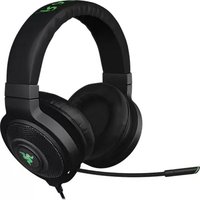
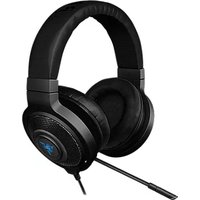
| Model | BlackShark Expert 2.0 |
| Category | Headphones |
| Connectivity | USB and 3.5 mm audio jack |
| Driver Size | 50 mm with neodymium magnets |
| Frequency Response | 20 Hz - 20 kHz |
| Impedance | 32 Ohm |
| Sound Mode | Virtual 7.1 Surround Sound |
| Microphone | Noise-cancelling unidirectional boom microphone |
| Microphone Frequency Response | 50 Hz - 16 kHz |
| In-line Controls | Volume wheel and mute switch |
| Cable Length | 1.3 m braided cable |
| Compatibility | PC, Mac, PlayStation, Xbox (with adapter) |
| Dimensions (W x H x D) | 227 mm x 244 mm x 106 mm |
| Weight | 330 g (without cable) |
| Power Source | USB (for 7.1) and 3.5 mm (analog) |
| Warranty | 2 years limited |
| Package Contents | Headset, 3.5 mm cable, USB adapter, quick start guide |
| Safety | Do not disassemble, avoid liquids |
| Maintenance | Clean with soft dry cloth |
| Spare Parts | Ear cushions and replacement cable available |
Frequently Asked Questions - BlackShark Expert 2.0 RAZER
Does the Razer BlackShark Expert 2.0 support virtual 7.1 surround sound?
Yes, it features virtual 7.1 surround sound via the USB connection. This provides an immersive audio experience in games and movies.
How do I connect the headset to my PC?
Connect the 3.5 mm audio jack to your PC's headset port, or use the included USB adapter to enable the 7.1 surround sound features and power the headset.
How do I use the inline controls?
The volume wheel adjusts the playback volume, while the mute switch instantly mutes or unmutes the microphone. These controls are located on the cable for quick access.
Is the microphone removable?
Yes, the noise-cancelling boom microphone is detachable. You can remove it when listening to music or for easier storage.
How should I clean the ear cushions?
Use a soft dry cloth to gently wipe the ear cushions and headband. Do not use water or chemical cleaners, as they may damage the materials.
Does it work on PlayStation or Xbox?
The headset is compatible with PC and Mac natively. For consoles, you may need an adapter for the 3.5 mm jack, and not all features like 7.1 surround sound are supported.
Can I use it with my phone?
Yes, you can connect the headset to your phone using the 3.5 mm audio cable. The inline controls will work for calls and media playback on most devices.
What is the warranty period?
The headset comes with a 2-year limited warranty from Razer, covering manufacturing defects and hardware failures under normal use.
How do I adjust the headset for a comfortable fit?
Adjust the extendable ear cups to match the size of your head. The padded headband and ear cushions ensure comfort during long gaming sessions.
Can I replace the ear cushions if they wear out?
Yes, the ear cushions are replaceable. You can purchase official replacements from the Razer store or authorized retailers.
User questions about BlackShark Expert 2.0 RAZER
0 question about this device. Answer the ones you know or ask your own.
Ask a new question about this device
No questions yet. Be the first to ask one.
Download the instructions for your Headphones in PDF format for free! Find your manual BlackShark Expert 2.0 - RAZER and take your electronic device back in hand. On this page are published all the documents necessary for the use of your device. BlackShark Expert 2.0 by RAZER.
USER MANUAL BlackShark Expert 2.0 RAZER


Manual assistant
Powered by Anthropic
Waiting for your message
Product information
Brand : RAZER
Model : BlackShark Expert 2.0
Category : Headphones