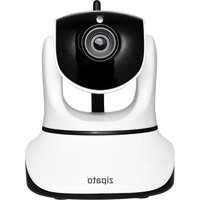
SME.NCM629GB - Security Camera Zipato - Free user manual and instructions
Find the device manual for free SME.NCM629GB Zipato in PDF.


Pick your language and provide your email: we'll send you a specifically translated version.
| Product Type | Security Camera |
| Brand | Zipato |
| Model | SME.NCM629GB |
| Connectivity | Wi-Fi (IEEE 802.11 b/g/n) |
| Video Resolution | Full HD (1920 x 1080) |
| Field of View | 110° wide-angle |
| Night Vision | Yes, up to 10 meters |
| Motion Detection | Yes, with push notifications |
| Audio | Two-way audio with built-in microphone and speaker |
| Storage | Micro SD card up to 128 GB, optional cloud storage |
| Power Supply | 5V / 2A DC adapter |
| Power Consumption | 5 Watts typical |
| Dimensions (approx.) | 6.8 x 6.8 x 11.5 cm |
| Weight (approx.) | 220 grams |
| Operating Temperature | -10°C to 50°C |
| Housing Material | ABS plastic |
| Security | WPA/WPA2 encryption, password-protected access |
| Maintenance and Cleaning | Clean lens with a soft, dry cloth |
| Spare Parts and Repairability | No user-serviceable parts; contact support for repairs |
| Included Accessories | Power adapter, mounting bracket, user manual |
Frequently Asked Questions - SME.NCM629GB Zipato
How do I reset my Zipato SME.NCM629GB camera to factory defaults?
Press and hold the reset button on the back of the camera for about 10 seconds until the LED flashes red and green. The camera will reboot and restore all settings to factory defaults.
Can I install the camera outdoors?
The SME.NCM629GB is designed for indoor use. Exposure to rain or extreme weather may damage the device. If you need outdoor protection, install it under a covered area.
How do I connect the camera to my Wi-Fi network?
Download the Zipato app, create an account, and press the setup button on the camera. In the app, select 'Add Device', scan the QR code on the camera, and follow the instructions to connect it to your 2.4 GHz Wi-Fi network.
What is the maximum microSD card capacity supported?
The camera supports microSD cards up to 128 GB. Use a Class 10 or higher card for reliable recording. Insert the card into the slot marked 'microSD'.
How do I view the live feed remotely?
Open the Zipato app from anywhere with an internet connection and log in to your account. The live feed will appear on the home screen. You can also view recorded clips stored on the microSD card.
Does the camera support two-way audio?
Yes, the SME.NCM629GB has a built-in microphone and speaker. You can listen to sounds on your phone and talk through the app in real time, which is useful for deterring intruders.
How do I enable motion detection alerts?
In the Zipato app, go to the camera settings, tap 'Motion Detection', and turn it on. You can adjust sensitivity and choose to receive push notifications when motion is detected.
What should I do if the night vision isn't working?
Make sure the camera is in Auto mode for night vision. If the LED lights still don't activate, clean the lens and IR sensors with a soft cloth. If the issue persists, check that the camera isn't installed too far from reflective surfaces.
How do I maintain the camera lens?
Gently wipe the lens with a dry microfiber cloth to remove dust and fingerprints. Avoid using liquids or abrasive cleaners. Regular cleaning ensures clear video quality.
Is the cloud storage free?
Zipato offers a free basic cloud plan with limited storage duration and history. For longer storage or advanced features, you may subscribe to a paid cloud subscription within the app.
User questions about SME.NCM629GB Zipato
0 question about this device. Answer the ones you know or ask your own.
Ask a new question about this device
No questions yet. Be the first to ask one.
Download the instructions for your Security Camera in PDF format for free! Find your manual SME.NCM629GB - Zipato and take your electronic device back in hand. On this page are published all the documents necessary for the use of your device. SME.NCM629GB by Zipato.
USER MANUAL SME.NCM629GB Zipato


Manual assistant
Powered by Anthropic
Waiting for your message
Product information
Brand : Zipato
Model : SME.NCM629GB
Category : Security Camera