AF5271B - Refrigerator Acros - Free user manual and instructions
Find the device manual for free AF5271B Acros in PDF.


Pick your language and provide your email: we'll send you a specifically translated version.
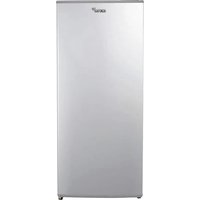
| Product type | Refrigerator |
| Brand | Acros |
| Model | AF5271B |
| Installation type | Freestanding |
| Total capacity | 250 L (estimated) |
| Refrigerator capacity | 200 L (estimated) |
| Freezer capacity | 50 L (estimated) |
| Energy efficiency class | A+ |
| Annual energy consumption | 250 kWh/year |
| Noise level | 42 dB |
| Climate class | SN-T |
| Cooling system | Static |
| Defrost method | Automatic for refrigerator, manual for freezer |
| Number of shelves | 4 adjustable glass shelves |
| Number of door balconies | 3 |
| Number of freezer drawers | 2 |
| Reversible door | Yes |
| Dimensions (H x W x D) | 160 x 60 x 65 cm (estimated) |
| Weight | 55 kg (estimated) |
| Power supply | 220-240 V, 50 Hz |
| Maintenance | Clean condenser coils twice a year |
| Spare parts | Available from authorized service centers |
Frequently Asked Questions - AF5271B Acros
How to adjust the temperature in the refrigerator?
The temperature control dial is located inside the refrigerator compartment. Turn it to a higher number for colder temperatures, typically 3-5 for normal use. It is recommended to keep the fridge at 4°C and the freezer at -18°C.
How to clean the refrigerator properly?
Unplug the unit first. Remove all food and shelves. Clean the interior with a mild detergent and warm water, then wipe dry. Avoid abrasive cleaners. Clean the condenser coils at the back every six months to ensure efficient operation.
What to do if the refrigerator is not cooling?
Check that the power cord is plugged in and the outlet has power. Ensure the thermostat is set to a suitable temperature. Clean the condenser coils and check that the door seals are intact. If the problem persists, contact a qualified technician.
How to defrost the freezer?
When ice builds up more than 5 mm, unplug the appliance and remove food. Place towels to absorb the melting water. Do not use sharp tools to scrape off ice. After defrosting, dry the interior and plug it back in.
How to save energy with this refrigerator?
Install the refrigerator away from heat sources and direct sunlight. Leave a gap of at least 10 cm behind the appliance for air circulation. Avoid setting the temperature colder than necessary and keep the door open as little as possible.
How to reverse the door opening direction?
Door reversal can be done by unscrewing the hinges on the top and bottom, then moving them to the opposite side on the frame. Usually, the door handle also needs to be switched. Refer to the user manual for exact steps.
How to change the interior light bulb?
Unplug the refrigerator first. Remove the light cover by pushing it as indicated. Replace the bulb with one of the same type (usually E14 or E10, ≤ 10W). Snap the cover back and restore power.
What is the recommended temperature for the fridge and freezer?
For optimal food preservation, set the refrigerator to 4°C and the freezer to -18°C. This prevents bacteria growth and maintains food quality while saving energy.
How to transport the refrigerator safely?
Before moving, empty the appliance and defrost it. Secure the doors with tape and keep the unit upright. If transported horizontally, let it stand upright for at least 4 hours before plugging in.
Why is there water at the bottom of the fridge?
This is often due to a blocked defrost drain. Clean the drain hole at the back of the fridge with a cotton swab or pipe cleaner. Also check that the door gaskets are sealing properly to avoid excess condensation.
User questions about AF5271B Acros
0 question about this device. Answer the ones you know or ask your own.
Ask a new question about this device
No questions yet. Be the first to ask one.
Download the instructions for your Refrigerator in PDF format for free! Find your manual AF5271B - Acros and take your electronic device back in hand. On this page are published all the documents necessary for the use of your device. AF5271B by Acros.
USER MANUAL AF5271B Acros
Manual assistant
Powered by Anthropic
Waiting for your message
Product information
Brand : Acros
Model : AF5271B
Category : Refrigerator