MX-SB220BT51 - Soundbar Moonki - Free user manual and instructions
Find the device manual for free MX-SB220BT51 Moonki in PDF.


Pick your language and provide your email: we'll send you a specifically translated version.
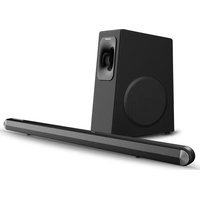
| Product Type | Soundbar |
| Brand | Moonki |
| Model | MX-SB220BT51 |
| Audio Channels | 2.0 stereo |
| Output Power (RMS) | 30 W (2 × 15 W) |
| Frequency Response | 80 Hz – 20 kHz |
| Bluetooth Version | 5.0 |
| Bluetooth Range | Up to 10 m |
| Connectivity | Bluetooth, AUX 3.5 mm |
| USB Playback | Yes (USB A) |
| Remote Control | Included |
| Wall Mountable | Yes |
| Power Supply | AC 100-240 V, 50/60 Hz |
| Power Consumption | 25 W (max) |
| Standby Power | Less than 1 W |
| Dimensions (W × H × D) | Approx. 54 cm × 6.5 cm × 8 cm |
| Weight | Approx. 1.2 kg |
| Material | ABS plastic with metallic mesh |
| Included Accessories | Remote control, AUX cable, mounting kit |
| Cleaning Instructions | Wipe with a soft, dry cloth |
| Maintenance | Keep away from dust and moisture |
| Safety Warnings | Do not expose to water or excessive heat |
| Spare Parts Availability | Available from authorized resellers |
| Repairability | User-serviceable remote and fuse only |
Frequently Asked Questions - MX-SB220BT51 Moonki
How do I pair my soundbar with a Bluetooth device?
Ensure the soundbar is in Bluetooth mode (press the Source button until BT appears). On your phone or tablet, enable Bluetooth and scan for devices. Select 'MX-SB220BT51' from the list. The soundbar will confirm with a tone, and the LED may change color.
Can I connect the soundbar to my TV via AUX?
Yes. Use a standard 3.5mm AUX cable to connect the headphone or audio output on your TV to the AUX IN port on the soundbar. Press the Source button until 'AUX' is selected. This connection is ideal for older TVs without Bluetooth.
How do I clean the soundbar safely?
Unplug the soundbar first. Wipe the exterior with a soft, dry microfiber cloth to remove dust. Do not use water, solvents, or abrasive cleaners, as they may damage the finish or internals. Gently clean the speaker grille with a soft brush.
Is the soundbar wall mountable?
Yes. The back panel has keyhole mounts. Use the included mounting kit to attach it securely to a wall. Ensure the wall can support the weight (approx. 1.2 kg). Follow the mounting template provided in the manual.
What is the power consumption in standby mode?
When the soundbar is in standby, it consumes less than 1 watt. This is achieved by the automatic power-saving feature that activates after 15 minutes of no audio signal. This helps reduce energy costs while keeping the device ready for quick use.
My remote is not working, what should I do?
First, check that the batteries are properly inserted and not depleted. Remove any obstacles between the remote and the soundbar's IR sensor. If the remote still fails, try resetting the soundbar (unplug for 10 seconds). If the issue persists, contact customer support for a replacement remote.
Can I play audio from a USB flash drive?
Yes, the soundbar has a USB port for playing audio files. Insert a USB drive with MP3, WMA, or WAV files. Press the Source button to select 'USB' mode. The soundbar will automatically start playing the compatible tracks. Note: The drive must be formatted as FAT32.
How many watts does the soundbar provide?
The soundbar delivers a total RMS output power of 30 W (2 × 15 W per channel). This is adequate for small to medium-sized rooms, providing clear dialogue and balanced sound for TV shows and music.
What safety precautions should I follow?
Avoid exposing the soundbar to water, rain, or high humidity. Do not place it near heat sources such as radiators or amplifiers. Keep ventilation openings clear. Unplug during thunderstorms or when not in use for extended periods. Also, do not attempt to open the casing; there are no user-serviceable parts inside.
Where can I find spare parts?
For genuine spare parts such as the remote control, power adapter (if detachable), or mounting brackets, contact Moonki authorized resellers or the official support service. Always use original parts to ensure compatibility and safety.
User questions about MX-SB220BT51 Moonki
0 question about this device. Answer the ones you know or ask your own.
Ask a new question about this device
No questions yet. Be the first to ask one.
Download the instructions for your Soundbar in PDF format for free! Find your manual MX-SB220BT51 - Moonki and take your electronic device back in hand. On this page are published all the documents necessary for the use of your device. MX-SB220BT51 by Moonki.
USER MANUAL MX-SB220BT51 Moonki
Manual assistant
Powered by Anthropic
Waiting for your message
Product information
Brand : Moonki
Model : MX-SB220BT51
Category : Soundbar