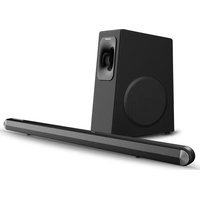
MX-SB140BT21 - Soundbar Moonki - Free user manual and instructions
Find the device manual for free MX-SB140BT21 Moonki in PDF.


| Product Type | 2.1 Soundbar with Wireless Subwoofer |
| Model Number | MX-SB140BT21 |
| Bluetooth Version | V5.0 (range approx. 10m) |
| Inputs | Optical, HDMI ARC, Line-in (3.5mm), USB (supports MP3/WAV) |
| EQ Modes | Movie (E-01), Music (E-02), News (E-03) |
| Total Power Output | 140W (built-in subwoofer) |
| Power Supply | AC-DC adapter (output voltage as per rating label) |
| Remote Control | Included (requires 2 AAA batteries, not included) |
| Wall-Mountable | Yes (instructions provided) |
| Audio Enhancement | Built-in DSP for richer audio |
| Display | LED display for mode and status |
| Subwoofer Connection | Wireless (auto-pairing; manual pairing available) |
| Package Contents | Soundbar unit, wireless subwoofer, user manual, adapter, power cord (2 units), remote control |
| Cleaning Instructions | Use soft dry cloth; for smudges, slightly damp cloth with mild soap solution; avoid liquids inside |
| Safety Precautions | Do not expose to fire, moisture, or direct sunlight; ensure ventilation; unplug if not used for long; do not tamper with internal components |
Frequently Asked Questions - MX-SB140BT21 Moonki
User questions about MX-SB140BT21 Moonki
0 question about this device. Answer the ones you know or ask your own.
Ask a new question about this device
Download the instructions for your Soundbar in PDF format for free! Find your manual MX-SB140BT21 - Moonki and take your electronic device back in hand. On this page are published all the documents necessary for the use of your device. MX-SB140BT21 by Moonki.
USER MANUAL MX-SB140BT21 Moonki
HOME CINEMA MX-SB140BT21
USER MANUAL

natural_image
Black audio speaker and sound streaming device (no text or symbols visible)2.1 SOUNDBAR WITH WIRELESS SUBWOOFER
MODEL NO: MW-SB140BT2.1
Thank you for selecting Moonki Sound
Before operating this product, please read and follow the instructions in this manual.
*Actual product may differ from the picture shown.*
INSIDE THE PACKAGE

Soundbar Unit 1 Unit

Wireless Subwoofer Unit 1 Unit
User Manual 1 Unit

Adapter 1 Unit

1 Unit

1 Unit

Power Cord 2 Units
WHAT MOONKI SOUND OFFERS
Built-in Sub woofer 140 WATTS
Bluetooth V5.0:
Easy connectivity with Bluetooth.
Multiple Inputs:
Optical in, Line-in, HDMI ARC in
Built-in USB Port:
Supports MP3/WAV playback
3 Modes EQ:
E-01:Movie
E-02:Music
E-03:News
Built-in DSP
For richer and fuller audio experience
PREVUE OF SOUNDBAR

- POWER Button: To switch the unit ON/OFF
- SOURCE Button: To switch between BT/USB/LINE/OPT/ARC
- BT Button: To connect the Bluetooth
- VOL- Button: To decrease the volume
- VOL+ Button: To increase the volume
- HDMI ARC Input
- LINE IN Jack (3.5mm)
- OPTICAL Input
- DC IN Jack
REMOTE CONTROL

- To switch ON/OFF the soundbar
-
- to increase volume
- To skip to previous track in Bluetooth/USB mode
- To decrease volume
- EQ: To select an appropriate preset equalizer modes such as Movie, Music, News
- MODE: To select the appropriate input modes.(Bluetooth,USB,LINE,Optical,RAC)
- MUTE: To switch to mute function
- ▶II : To start or pause playback in Bluetooth/USB mode.
- ▶: To skip to next track in Bluetooth/USB mode
- BT: To switch to bluetooth mode
USING THE REMOTE CONTROL
Insert/Replace Batteries in Remote Control
- Open the battery compartment
- Insert 2pcs AAA type batteries
- Observe correct polarity while inserting the batteries
- Replace the battery compartment
Note: Remove the batteries from the battery compartment, if it is not to be used for a long period of time to avoid battery leakage.
PRECAUTIONS FOR BATTERIES
- If you observe there is any leakage in the battery immediately replace them with new ones
- Use batteries types and grades as specified and mentioned in the user guide
- Do not heat or disassemble the batteries. Never expose the batteries to fire or water
- Do not carry or store the batteries with any metallic objects. Doing so may result in short circuit, battery leakage or explosion.
SUBWOOFER

-
Wireless Pairing Indicator The indicator will be a Steady Blue when the subwoofer and main unit are linked and will be blinks fast when they are not linked
-
AC Input
USING YOUR SOUNDBAR
PLACING THE SOUNDBAR ON THE TABLE


natural_image
Line drawing of a room layout with a cylindrical object on top and a wall-mounted device on the right (no text or symbols)If your TV is a tabletop, you can place the soundbar on the table directly in front of the TV, centered with the TV screen. The subwoofer can be placed on a flat and stable surface.
WALL-MOUNTING THE SOUNDBAR

BASIC OPERATION
Before connecting the AC power, ensure that the power supply voltage corresponds to the voltage printed on the rating label of the product.
- Insert the DC plug of the AC-DC power adaptor into the DC IN jack on the back of the soundbar unit, then connect the AC-DC adapter to an AC wall outlet.
- Press the POWER button to switch the soundbar on. The LED display will light up and "BT" symbol will flash on the display.
- Plug the connector of power cord into the AC socket on the back of the subwoofer, then plug it into the main power supply
- The subwoofer will automatically get connected with soundbar. The Wireless Pairing led indicator changes to steady blue once the connection is carried out successfully.
PAIRING THE SUBWOOFER WITH
THE SOUNDBAR MANUALLY
For first time use, sometimes, the subwoofer cannot connect with the soundbar automatically. In such case, users need to pair them manually.
- Ensure the soundbar is in powered on state and the subwoofer is powered off, press and hold the BT button on soundbar or on remote control for 3 seconds until "BT" symbol flashed on the display, the soundbar is ready for pairing with the subwoofer, and then press the POWER button to turn off the soundbar.
- Power on the subwoofer, the Wireless PAIR Indicator blinks blue three times, then changes to steady red.
- Restart soundbar by pressing the POWER button again, the Wireless PAIR Indicator changes to steady blue, thereby indicating the connection is successfully established.
CONNECTING AN EXTERNAL DEVICE

The figure above shows the various connectivity options available in the soundbar
SELECTING THE INPUT MODE
Short press the SOURCE button on the main unit or press the MODE button on the Remote Control to select amongst the various available input sources.
| Input Moder | Display |
| Bluetooth Mode | BT |
| Line Input (3.5mm) | LINE |
| Optical Input | OPT |
| ARC (HDMI OUT) | ARC |
PLAYBACK WITH THE BLUETOOTH DEVICE
This soundbar can be used with any Bluetooth enabled device such as mobile phone, table, etc. The Bluetooth range is limited to approx 10 metres. Please ensure there is no obstruction between the soundbar and the Bluetooth device for proper operation.
PAIRING
Before using the soundbar with a compatible Bluetooth device, such as a mobile phone, table, etc., you are required to pair and establish connection between them.
- Activate the Bluetooth on your device.
- In power on mode and automatically switch to BT mode, short press the BT button on the main unit or the MODE button on the remote control to select the Bluetooth mode. "BT" symbol will flash on the display to show that the pairing mode is activated.
- Search for Devices and connect with MW-SB140BT2.1 from the list of available
- Bluetooth devices.
- If prompted, enter the password 0000 to confirm. (Password may be required only when pairing devices for the first time).
- A voice prompt CONNECTED will confirm the connection and the "BT" symbol stops flashing.
Note: Only one Bluetooth device can be connected the soundbar. If the soundbar is already connected to a device, it will not appear in the Bluetooth selection list with a fresh scan.
Press and hold BT or ▶button on remote control for 3 seconds to un-pair an existing Bluetooth connection and initiate a new device pairing in Bluetooth mode.
Press +/- button on remote control or VOL + /VOL - button on the main unit to increase or decrease the volume level.
OPTICAL OPERATION
- The Soundbar can be connected to a television or any other device such as DVD player, play station, etc. having Optical output.
- Establish proper connectivity using an optical cable
- In Power On mode, short press the SOURCE button on the main unit or the MODE button on the remote control to select the OPTICAL mode and enjoy the audio.
- Press +/- button on remote control or VOL+/VOL- button on the main unit to increase or decrease the volume.
NOTE: If there is no sound from the soundbar and the status indicator LED blinks fast, make sure the digital output setting of the source play (e.g. TV, DVD player, game player) is set to PCM.
- Ensure that the unit is securely connected to the TV or other audio device via a 3.5mm audio cable
- While in Power On mode, press the SOURCE button on the main unit or MODE button on the remote control, till LINE flashes on display.
- Operate the device directly to start playback.
USB PLAYBACK
- While in Power On mode, short press the SOURCE button on the main unit or MODE button on the remote control, till USB flashes on display.
- Connect a USB storage device directly into the USB port, after a few seconds, it will start music playback automatically.
- Press the ◀ or ▶ button on remote control to go to the previous or next track.
CARING FOR MW-SB140BT2.1
When using this product, basic safety precautions should always be observed, including the following:
- Please read the instruction manual carefully before using the product. Keep the user manual safely for future reference
- Do not expose the product to fire, moisture and direct sunlight
● Power On the products as instructed in this manual - Do not attempt to service the product on your own, as this may expose you to potential electric shocks and hazards, resulting in electrocution. This will also render the warranty claim void.
- It is advisable to unplug the unit from the power source; if the unit is not to be used for a long time
- Ensure that the ventilation holes provided on the unit are free from any obstruction, failure to do so may result in overheating of the product and can damage the circuits
- Please ensure the product is fixed on a stable, even surface or is wall mounted, for safety of the product
- Do not use any accessory which is not compatible with the product, as this may result in malfunctioning of the product; which will also render the warranty claim void
CLEANING AND MAINTENANCE
- Do not subject the unit to excessive force, shock, dust or extreme temperature.
- Do not tamper with the internal components of the unit.
- Avoid leaving your unit in direct sunlight or in hot, humid or dusty places.
- Keep your unit away from heating appliances and sources of electrical noise such as fluorescent lamps or motors.
- To prevent fire or electrocution hazard, disconnect your unit from the AC power source while cleaning.
- The finish on the unit may be cleaned with a soft damp cloth and cared for as other furniture, use caution while cleaning and wiping the plastic parts.
- If the cabinet becomes dusty wipe it with a soft dry cloth. Do not use any wax or polish sprays on the enclosure of the cabinet..
- If the front panel becomes dirty or smudged with fingerprints it may be cleaned with a soft cloth slightly dampened with a mild soap and water solution. Never use abrasive cloths or plishes as these will damage the finish of your unit.
CAUTION: Never allow any water or other liquids to get inside the unit while cleaning.
- HOME CINEMA MX-SB140BT21
- SOUNDBAR WITH WIRELESS SUBWOOFER
- MODEL NO: MW-SB140BT2.1
- INSIDE THE PACKAGE
- WHAT MOONKI SOUND OFFERS
- PREVUE OF SOUNDBAR
- REMOTE CONTROL
- USING THE REMOTE CONTROL
- PRECAUTIONS FOR BATTERIES
- SUBWOOFER
- USING YOUR SOUNDBAR
- PLACING THE SOUNDBAR ON THE TABLE
- WALL-MOUNTING THE SOUNDBAR
- BASIC OPERATION
- PAIRING THE SUBWOOFER WITH
- THE SOUNDBAR MANUALLY
- SELECTING THE INPUT MODE
- PLAYBACK WITH THE BLUETOOTH DEVICE
- PAIRING
- OPTICAL OPERATION
- USB PLAYBACK
- CARING FOR MW-SB140BT2.1
- CLEANING AND MAINTENANCE
Brand : Moonki
Model : MX-SB140BT21
Category : Soundbar