Life 8 XL - Telephone BLU - Free user manual and instructions
Find the device manual for free Life 8 XL BLU in PDF.


Pick your language and provide your email: we'll send you a specifically translated version.
| Product Type | Smartphone |
| Brand | BLU |
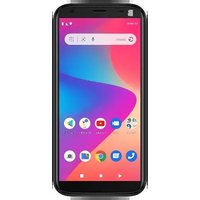
| Model | Life 8 XL |
| Category | Mobile Phone |
| Display Size | 5.5 inches |
| Display Resolution | HD 720 x 1280 pixels |
| Processor | MediaTek MT6592 Octa-core 1.7 GHz |
| RAM | 2 GB |
| Internal Storage | 16 GB |
| Expandable Storage | microSD up to 64 GB |
| Rear Camera | 13 MP with autofocus and LED flash |
| Front Camera | 2 MP |
| Battery Capacity | 2500 mAh (removable) |
| Operating System | Android 4.4 KitKat |
| Dimensions (H x W x D) | 158 x 78 x 8.6 mm |
| Weight | 179 g |
| Connectivity | 3G, Wi-Fi, Bluetooth 4.0, GPS |
| SIM Card | Dual micro-SIM slots |
| Ports | Micro-USB, 3.5 mm headphone jack |
| Maintenance | Wipe with a soft, dry cloth; avoid liquids |
| Safety | Use certified charger and avoid overheating |
| Spare Parts and Repairability | Removable battery and back cover; replacement parts available from service centers |
Frequently Asked Questions - Life 8 XL BLU
How do I insert the SIM card?
Turn off the phone, open the back cover, remove the battery, then insert the micro-SIM cards into the slots. Reinsert the battery and back cover, then power on. Ensure the SIM cards are properly aligned.
How can I extend battery life?
Reduce screen brightness, disable background apps, turn off Wi-Fi and Bluetooth when not in use, and activate power-saving mode in the battery settings.
How do I perform a factory reset?
Go to Settings > Backup & Reset > Factory Data Reset, then confirm and wait for the device to reboot. Backup important data first to avoid loss.
Is the battery removable?
Yes, the BLU Life 8 XL features a removable 2500 mAh battery that can be replaced by the user. Simply power off and remove the back cover.
What is the maximum storage capacity via microSD?
The device supports microSD cards up to 64 GB, allowing you to expand the internal 16 GB storage for extra photos, videos, and apps.
How do I take a screenshot?
Press the Power button and Volume Down simultaneously for a few seconds. The screenshot will be saved in the gallery.
How do I update the Android operating system?
Go to Settings > About Phone > System Updates to check for available updates. Ensure a stable Wi-Fi connection and sufficient battery before installing.
Does the phone support 4G LTE?
No, the BLU Life 8 XL supports 3G HSDPA networks but does not have 4G LTE capability. It is still compatible with most standard mobile data services.
What should I do if the phone freezes?
Hold the Power button for 10-15 seconds to force a restart. If the issue persists, remove the battery, wait a few seconds, then reinsert and power on.
How should I clean the device?
Wipe the screen and body with a soft, dry, lint-free cloth. Avoid using water, alcohol, or harsh chemicals, as they may damage the touchscreen or protective coating.
User questions about Life 8 XL BLU
0 question about this device. Answer the ones you know or ask your own.
Ask a new question about this device
No questions yet. Be the first to ask one.
Download the instructions for your Telephone in PDF format for free! Find your manual Life 8 XL - BLU and take your electronic device back in hand. On this page are published all the documents necessary for the use of your device. Life 8 XL by BLU.
USER MANUAL Life 8 XL BLU

Manual assistant
Powered by Anthropic
Waiting for your message
Product information
Brand : BLU
Model : Life 8 XL
Category : Telephone