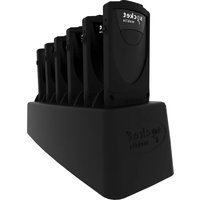
DuraSled DS860 - Barcode Reader Socket Mobile - Free user manual and instructions
Find the device manual for free DuraSled DS860 Socket Mobile in PDF.


Pick your language and provide your email: we'll send you a specifically translated version.
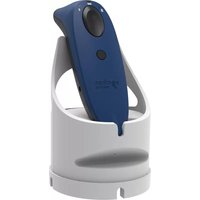
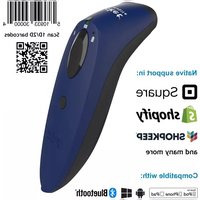
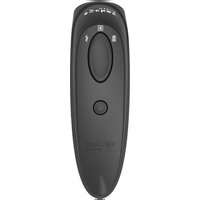
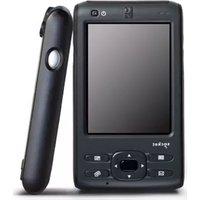
| Product Type | Barcode Reader Sled |
| Model | DuraSled DS860 |
| Brand | Socket Mobile |
| Dimensions (H x W x D) | 6.5 x 3.5 x 1.5 inches |
| Weight | 8 oz (227 g) |
| Power Source | Rechargeable Lithium-Ion battery, 1000 mAh |
| Charging Interface | Micro-USB |
| Wireless Connectivity | Bluetooth 4.0 (Classic and Low Energy) |
| Supported Barcodes | 1D (UPC, EAN, Code 128, etc.) and 2D (QR, Data Matrix, etc.) |
| Scan Engine | Laser or Imager (varies by version) |
| Scan Range | Up to 15 inches (38 cm) for typical 1D barcodes |
| Drop Resistance | Rugged design: withstands multiple 5 ft (1.5 m) drops |
| Operating Temperature | -10°C to 50°C (14°F to 122°F) |
| Storage Temperature | -20°C to 70°C (-4°F to 158°F) |
| Compatibility | iOS and Android devices with dedicated sled connector |
| Maintenance | Clean with dry, lint-free cloth; avoid liquids and abrasives |
| Safety | Class 1 Laser product; follow laser safety guidelines |
| Spare Parts | Replacement batteries and charging cables available from Socket Mobile |
| Repairability | Modular design; battery and scan engine replaceable by service center |
| General Information | Manufactured by Socket Mobile; user manual available in PDF (45 pages) |
Frequently Asked Questions - DuraSled DS860 Socket Mobile
How do I pair the DuraSled DS860 with my smartphone?
Ensure Bluetooth is enabled on your device. Slide the DuraSled onto the device connector. The scanner will automatically pair via Bluetooth. If not, go to Bluetooth settings and select 'DuraSled DS860'.
What barcode types can the DuraSled DS860 read?
It reads both 1D barcodes (UPC, EAN, Code 128, etc.) and 2D barcodes (QR, Data Matrix, etc.) using an imager-based scan engine.
How long does the battery last?
The rechargeable 1000 mAh battery provides up to 8 hours of continuous scanning under normal use.
How do I charge the DuraSled DS860?
Use the included Micro-USB cable to charge. A full charge takes approximately 2-3 hours. The LED indicator turns green when fully charged.
Is the DuraSled DS860 waterproof or dustproof?
It is not waterproof, but it has a rugged design that withstands multiple 5-foot drops. Avoid exposure to liquids and dust.
Can I replace the battery myself?
The battery is user-replaceable. Refer to the user manual for instructions. Spare batteries are available from Socket Mobile.
How do I clean the DuraSled DS860?
Use a dry, lint-free cloth to wipe the exterior. Do not use liquids or abrasive cleaners. Clean the scan window regularly for optimal performance.
What devices are compatible with the DuraSled DS860?
It is designed for iOS and Android devices that have a dedicated sled connector or support Bluetooth HID/SPP. Check Socket Mobile's compatibility list.
How do I reset the DuraSled DS860 to factory settings?
Press and hold the scan trigger button for 10 seconds until the LED blinks rapidly. Release to reset. This clears all custom settings.
Where can I find the user manual for the DuraSled DS860?
The user manual is available for free download in PDF format from the instructions page. It contains 45 pages of detailed setup and troubleshooting information.
User questions about DuraSled DS860 Socket Mobile
0 question about this device. Answer the ones you know or ask your own.
Ask a new question about this device
No questions yet. Be the first to ask one.
Download the instructions for your Barcode Reader in PDF format for free! Find your manual DuraSled DS860 - Socket Mobile and take your electronic device back in hand. On this page are published all the documents necessary for the use of your device. DuraSled DS860 by Socket Mobile.
USER MANUAL DuraSled DS860 Socket Mobile
Manual assistant
Powered by Anthropic
Waiting for your message
Product information
Brand : Socket Mobile
Model : DuraSled DS860
Category : Barcode Reader