OfficeConnect 3CRWE554G72U - Router 3COM - Free user manual and instructions
Find the device manual for free OfficeConnect 3CRWE554G72U 3COM in PDF.


Pick your language and provide your email: we'll send you a specifically translated version.
| Product Type | Wireless Router |
| Model | OfficeConnect 3CRWE554G72U |
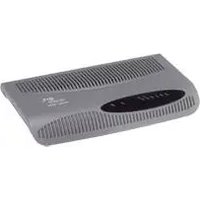
| Dimensions (approx.) | 7.5 x 5.0 x 1.5 in (190 x 127 x 38 mm) |
| Weight (approx.) | 0.6 lb (270 g) |
| Power Supply | External 12 V DC, 1.0 A |
| Wireless Standard | 802.11g (backward compatible with 802.11b) |
| Wireless Speed | Up to 54 Mbps |
| LAN Ports | 4 x 10/100 Mbps Fast Ethernet |
| WAN Port | 1 x 10/100 Mbps Fast Ethernet (ADSL/Cable modem) |
| USB Port | 1 x USB 1.1 for printer sharing |
| Security | WEP (64/128-bit), WPA-PSK, SPI Firewall, NAT |
| VPN Pass-through | PPTP, IPSec, L2TP |
| DHCP Server | Built-in, configurable |
| Default IP Address | 192.168.1.1 |
| Default Username/Password | admin / (blank) |
| Reset Button | Yes, pinhole reset to factory defaults |
| Antenna | 1 x external, detachable, reverse SMA |
| Operating Temperature | 0°C to 40°C (32°F to 104°F) |
| Compliance | FCC, CE, IC |
| Maintenance | Keep dry; clean with soft cloth; update firmware via web interface |
| Safety | Use only supplied power adapter; do not disassemble; operate in ventilated area |
| Spare Parts & Repairability | Not user-serviceable; contact 3Com support for replacements |
Frequently Asked Questions - OfficeConnect 3CRWE554G72U 3COM
How do I reset the 3Com OfficeConnect 3CRWE554G72U to factory defaults?
Press and hold the reset button on the back panel for 10 seconds using a paperclip. The router will reboot with default settings.
What is the default IP address and login for this router?
Default IP is 192.168.1.1. Username: admin, password: (blank).
How do I set up wireless security on my 3CRWE554G72U?
Log into the router's web interface, go to Wireless > Security, and select WPA-PSK. Enter a strong passphrase.
Can I use the USB port to share a printer?
Yes, the USB port supports printer sharing. Connect the printer and enable Print Server in the router settings.
How do I update the firmware of my 3COM router?
Download the latest firmware from 3Com's support site, then log into the router and go to Administration > Firmware Upgrade. Upload the file and follow prompts.
What is the maximum wireless speed of the 3CRWE554G72U?
This router supports 802.11g with a maximum speed of 54 Mbps.
How can I forward ports on my 3Com OfficeConnect router?
Log in to the web interface, go to Advanced > Virtual Server, and create a rule specifying the port range and internal IP address.
Does the router support VPN pass-through?
Yes, it supports PPTP, IPSec, and L2TP pass-through. Check Security > VPN settings.
Why is my wireless connection slow or dropping?
Ensure the router is placed in a central location, away from interference (microwaves, cordless phones). Update firmware and change the wireless channel if needed.
Can I mount the 3CRWE554G72U on a wall?
Yes, the router has wall-mounting slots on the bottom. Use two screws with appropriate anchors.
User questions about OfficeConnect 3CRWE554G72U 3COM
0 question about this device. Answer the ones you know or ask your own.
Ask a new question about this device
No questions yet. Be the first to ask one.
Download the instructions for your Router in PDF format for free! Find your manual OfficeConnect 3CRWE554G72U - 3COM and take your electronic device back in hand. On this page are published all the documents necessary for the use of your device. OfficeConnect 3CRWE554G72U by 3COM.
USER MANUAL OfficeConnect 3CRWE554G72U 3COM

Manual assistant
Powered by Anthropic
Waiting for your message
Product information
Brand : 3COM
Model : OfficeConnect 3CRWE554G72U
Category : Router