Professional CS Touch - Uncategorized LEA - Free user manual and instructions
Find the device manual for free Professional CS Touch LEA in PDF.


Pick your language and provide your email: we'll send you a specifically translated version.
| Product Type | Coffee Machine |
| Brand | LEA |
| Model | Professional CS Touch |
| Category | Commercial Coffee Machine |
| Dimensions (WxDxH) | 400 x 500 x 600 mm |
| Weight | 20 kg |
| Power Supply | 230V ~ 50/60 Hz, 1500W |
| Water Tank Capacity | 2.5 L |
| Bean Hopper Capacity | 1 kg |
| Pump Pressure | 15 bar |
| Functions | Espresso, Cappuccino, Latte, Hot Water, Steam |
| Display | 4.3-inch Touch Screen |
| Maintenance | Automatic Cleaning and Descaling Programs |
| Safety Features | Safety Lock, Auto-Off |
| Spare Parts Availability | Available from LEA Service |
| Repairability | Replaceable Modules |
| Intended Use | High Volume Professional Use |
Frequently Asked Questions - Professional CS Touch LEA
How do I descale the Professional CS Touch?
Use the automatic descaling program: fill the water tank with LEA descaling solution, then select 'Descaling' from the menu. Follow on-screen instructions.
What does the 'Clean' alert mean?
The machine indicates it needs a cleaning cycle. Run the automatic cleaning program with a cleaning tablet. Refer to the manual for tablet placement.
Can I use pre-ground coffee?
Yes, use the bypass doser located on the top of the bean hopper. Add one scoop of ground coffee per cup.
How do I adjust the coffee strength?
On the touch screen, select your beverage, then press 'Strength' and choose from Mild, Medium, or Strong. The machine adjusts the grind accordingly.
What should I do if the machine displays 'Water Tank Empty' but it is full?
Remove the tank, check the float sensor for debris, clean it, and reinsert the tank firmly. Ensure the machine is on a level surface.
How often should I replace the water filter?
Replace the water filter every 3 months or when the machine prompts 'Replace Filter'. Use LEA approved filters only.
Can I connect the machine to a direct water line?
Yes, the Professional CS Touch supports direct water connection. Use the provided kit and follow installation instructions in the manual.
Why is my cappuccino not frothy?
Ensure you are using cold milk and the steam wand is clean. Purge the wand before use. Adjust the milk frothing setting in the menu.
How do I reset the machine to factory settings?
Go to 'Settings' > 'Service' > 'Factory Reset' and confirm. This will erase all custom settings and restore defaults.
What is the warranty period?
LEA offers a 2-year warranty for the Professional CS Touch. Register your product on LEA's website for extended warranty options.
User questions about Professional CS Touch LEA
0 question about this device. Answer the ones you know or ask your own.
Ask a new question about this device
No questions yet. Be the first to ask one.
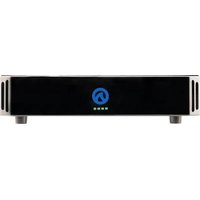
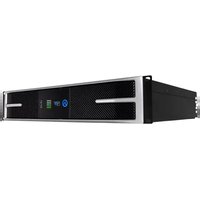
Download the instructions for your Uncategorized in PDF format for free! Find your manual Professional CS Touch - LEA and take your electronic device back in hand. On this page are published all the documents necessary for the use of your device. Professional CS Touch by LEA.
USER MANUAL Professional CS Touch LEA

Manual assistant
Powered by Anthropic
Waiting for your message
Product information
Brand : LEA
Model : Professional CS Touch
Category : Uncategorized